14
User Manual
INS-DVR04V2 INS-DVR08V2 INS-DVR04PV2 INS-DVR08PV2 INS-DVR16PV2
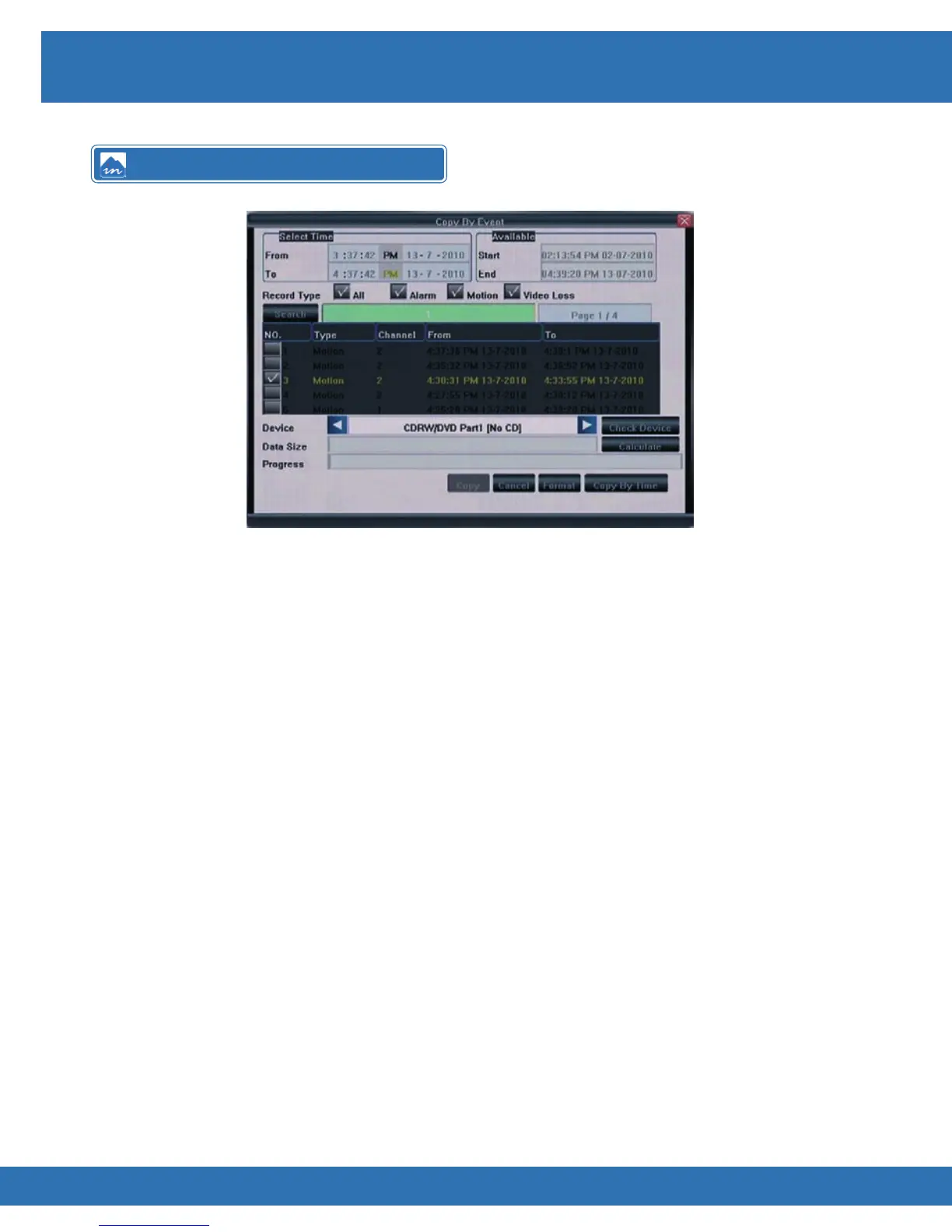
Front Panel
• Press Copy key on front panel
• Press ◄►▲▼ keys to navigate
• Highlight Copy By Event and press OK
• Enter desired Start and End Times using ◄►▲▼ to navigate and number keys to
enter individual values
• Highlight search and press OK
• Use ▲▼ to move up and down event list and use ◄► to change page
• Press OK on events to copy
• Select desired device to copy to (◄► to select)
• Highlight Calculate and press OK to view estimated Data Size and Copy Time
• Highlight Copy and press OK to start backup
Infra Red Remote
• Press Copy key
• Press ◄►▲▼ keys to navigate
• Highlight Copy By Event and press Enter
• Enter desired Start and End Times using ◄►▲▼ to navigate and number keys to
enter individual values
• Highlight search and press Enter
• Use ▲▼ to move up and down event list and use ◄► to change page
• Press Enter on events to copy
• Select desired device to copy to (
◄► to
select)
• Highlight Calculate and press Enter to view estimated Data Size and Copy Time
• Highlight Copy and press Enter to start backup
Copy By Event



 To Next Page