CX-CT6A
11
Computer Transmitter
12. Computer Software Installation
12.01 PC Software Download
You can download from our website: www.copterx.com
12.02 PC Software Installation
1. Install driver software: PL-2303 Driver Installer.exe
2. Install application software: t6config.exe
3. Restart computer
4. Installation completed
12.03 PC Software Application
Application Interface
1. Install the battery to the transmitter and switch on the power.
2. Connect the transmitter, programming line and the PC.
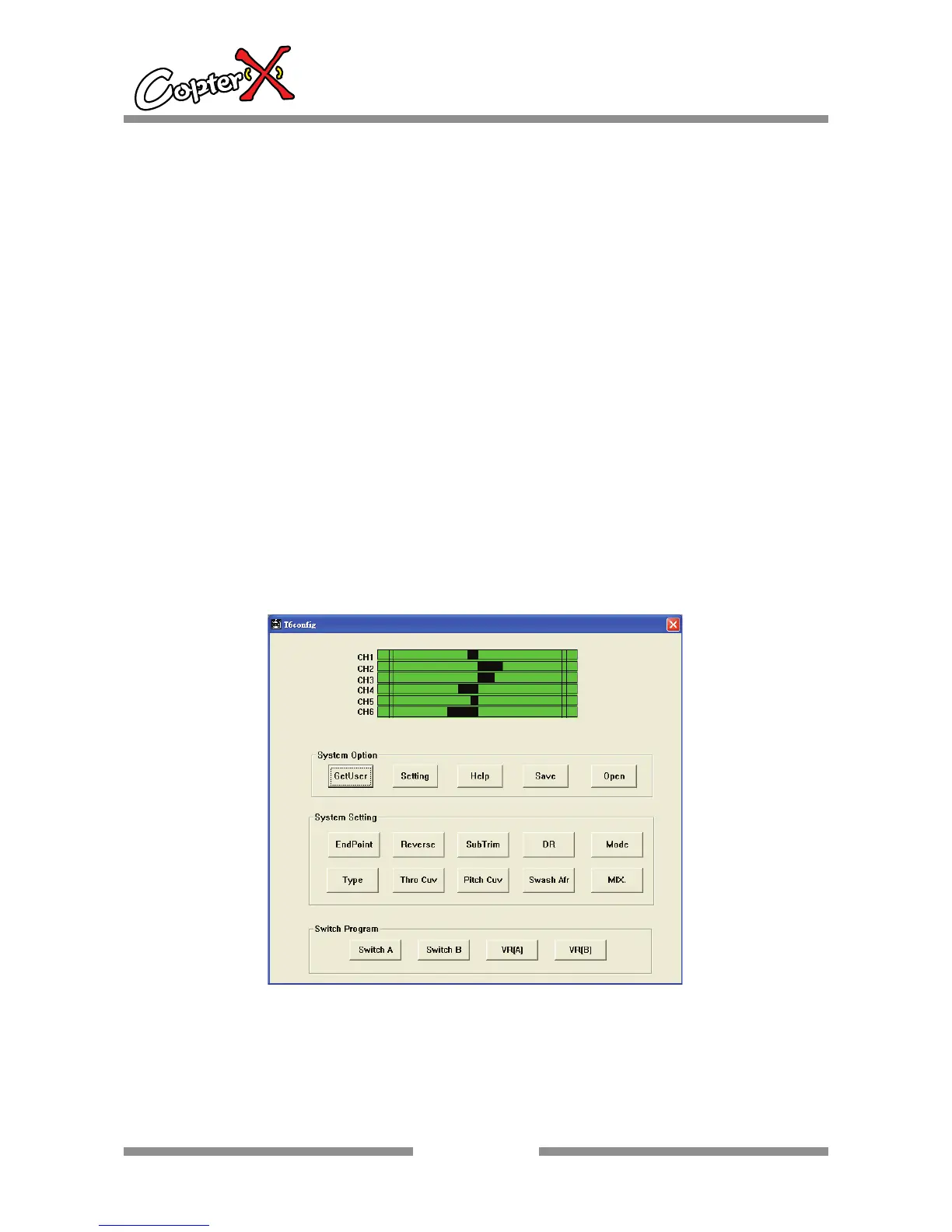
3. Double-click the application icon and the following screen will be shown:
With new computer programmable model design, all functions of transmitter can be
set up through computer.


 To Next Page