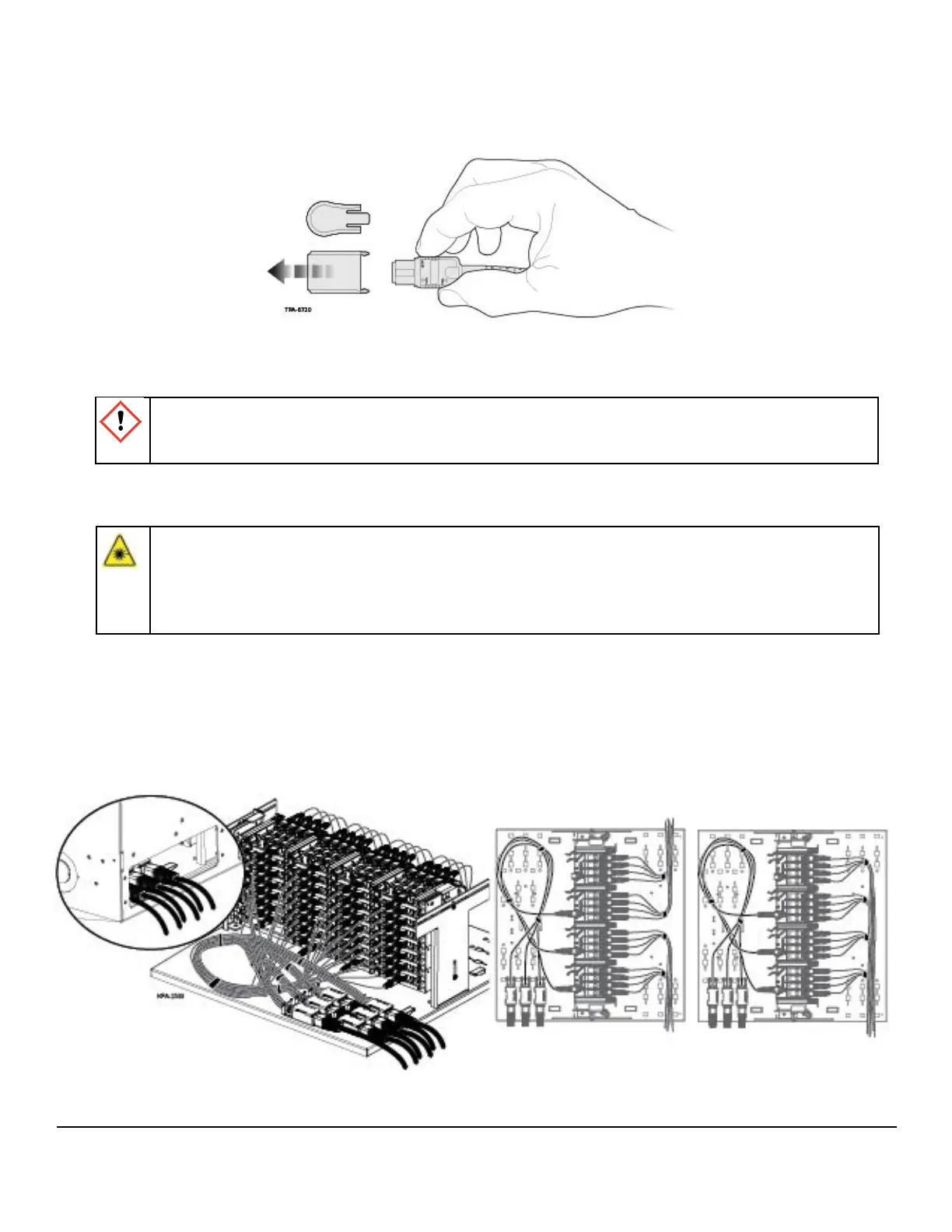
Step 8: Remove dust cover from the MTP® adapter. Also remove the MTP connector dust cap
by pulling on the dust cap while holding the connector body. For the initial mating, do not
clean or scope connectors. Corning® CleanAdvantage™ connectors are shipped with an
optimized dust cap to maintain cleanliness for the rst use.
Step 9: If desired, tilt the module frame as shown in Figure 13 to facilitate connector installation.
Mate the MTP connector into the adapter.
Step 10: Route the ber legs as shown in Figure 18 and secure with hook-and-loop straps as
necessary for ber management. (Plugs on only one side are shown for clarity. Mirror the
ber management for the plugs on the other side of the plate.)
Step 11: Mate the connectors into the adapters. Manage the jumpers with hook-and-loop straps as
necessary for ber management.
Figure 18
Figure 17A
WARNING:
Laser light can be invisible and can damage your eyes. Viewing it directly does not cause pain.
The iris of the eye will not close involuntarily as when viewing a bright light. Consequently,
serious damage to the retina of the eye is possible. Should accidental eye exposure to laser
light be suspected, arrange for an eye examination immediately.
STANDARD RECOMMENDED PROCEDURE 003-825-AEN | ISSUE 7 | NOVEMBER 2020 | PAGE 10 OF 11
CAUTION: Scoping Corning CleanAdvantage connectors increases the risk of adding
contamination to the system. CleanAdvantage technology is designed for mating connectors
without cleaning or scoping before the initial installation.



 To Next Page