Academy_corpuls cpr Quick Guide_ Scoopboard_No Pause on Battery Exchange_SWV1.3_A043_v1
This document has been developed to provide users with an overview for safe device operation in accordance
with its function and intended use and does not replace the user manual. All persons dealing with use,
maintenance and troubleshooting must read and implement the user manual. Illustrations may not reflect
that displayed on your device. Subject to technical modifications, mistakes, and printing errors.
Ortus Academy
Ortus Academy is a trading name of Ortus Technology Limited.
Company Registration 07554900
Power Management
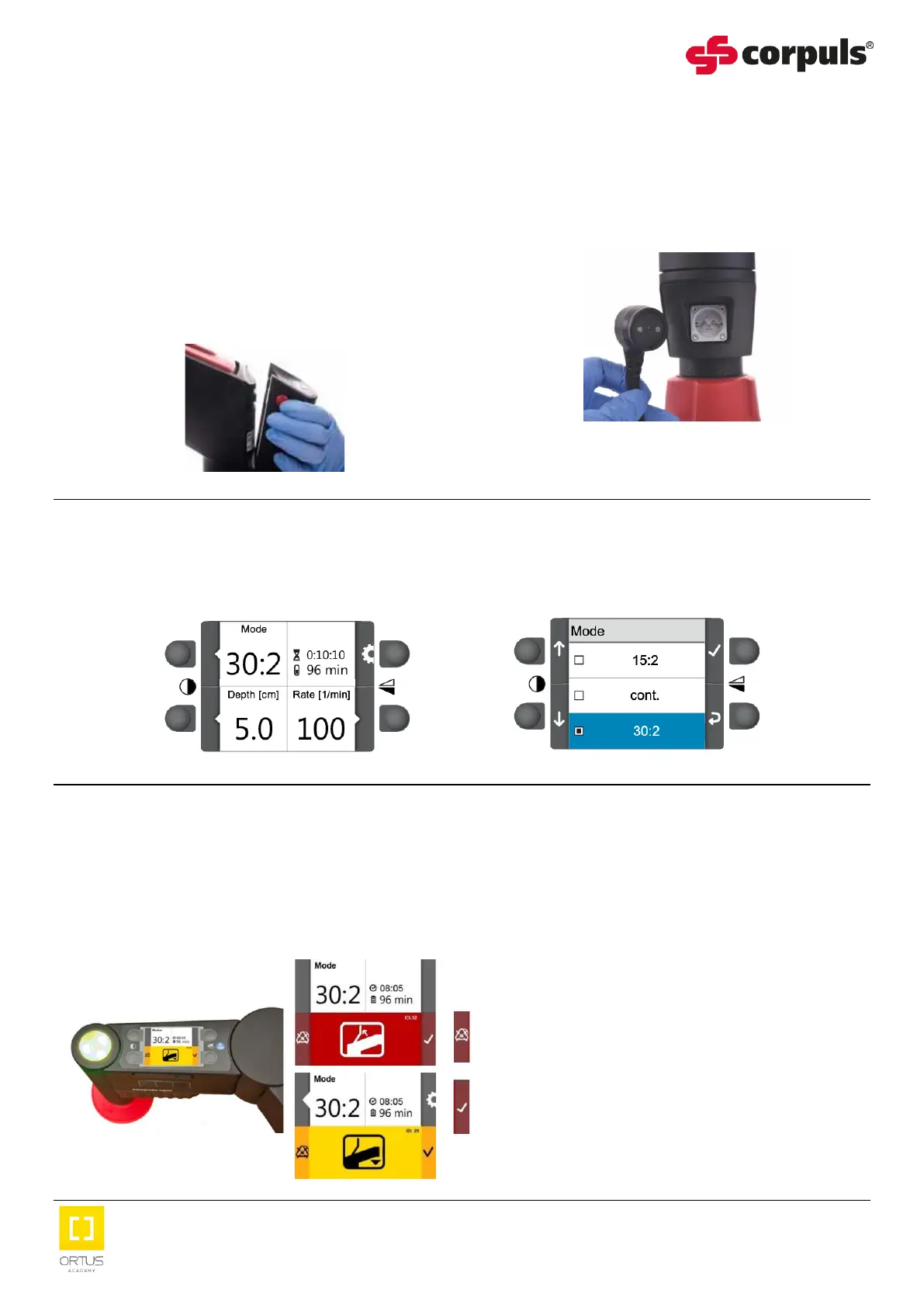
The remaining battery power can be reviewed by pressing the button below the battery LEDs.
If the battery is near depleted either:
1. Remove the depleted battery by pressing OR 2. Plug the cpr arm into external power.
the two red buttons and replace with a fully
charged battery.
The cpr arm therapy will stop.
Press the start / stop button to restart the therapy.
Adjusting Settings
Use the soft keys to adjust the therapy settings, if required.
Alarm Management
Audible alerts via the loudspeaker and visual alarm notifications via the LED of the stop / start button
and the display screen, are provided as High priority (red), Medium priority (yellow) and Low
priority (cyan). The highest priority alarm will always be displayed.
Activate and deactivate alarm suspension by
pressing the soft key located beside the alarm
symbol, for 3 seconds.
Confirm the alarm by pressing the soft key located
beside the confirmation symbol.


 To Next Page
 Loading...