
 Need help?
Do you have a question about the Corsair 200r and is the answer not in the manual?
Instructions for unscrewing and removing the side panels of the computer case.
Steps to install the motherboard, including I/O shield and securing with screws.
Guide for placing and securing the PSU, noting fan orientation options.
Procedure for installing expansion cards into PCI-E slots.
How to install 5.25-inch drives using tool-free bays.
Steps for installing hard drives and SSDs into tool-free cages.
Connecting case fan cables to motherboard headers for proper operation.
Connecting front panel connectors like USB 3.0 and audio to the motherboard.
 General
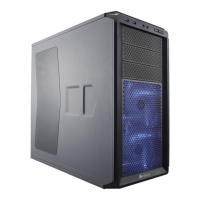
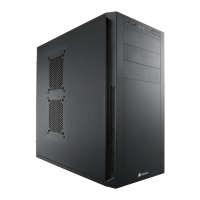
| Type | Mid Tower |
|---|---|
| Motherboard Support | ATX, Micro-ATX, Mini-ITX |
| Material | Steel, Plastic |
| Expansion Slots | 7 |
| Cooling Support | Front: 2 x 120mm, Top: 2 x 120mm, Rear: 1 x 120mm, Bottom: 1 x 120mm |
| Front I/O Ports | 2 x USB 3.0, 1 x Headphone, 1 x Microphone |
| Maximum GPU Length | 420mm |
| Maximum CPU Cooler Height | 165mm |
| Cooling | 1 x 120mm Rear Fan |






 To Next Page