
 Need help?
Do you have a question about the Corsair iCUE LC100 and is the answer not in the manual?
Ensure the system is powered off before installing the LC100.
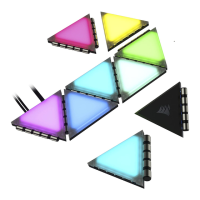
Mount the master triangle and attach companion triangles using connection rods.
Mount the Lighting Node PRO in a suitable location for cable reach.
Connect the master triangle's RGB connector to the Lighting Node PRO.
Connect the Lighting Node PRO to a USB header and SATA power.
Download and install the latest CORSAIR iCUE software for your system.
Select LC100 in Lighting Setup and define the number of triangles.
 General
| Type | Computer case light kit |
|---|---|
| Connector 1 | 3-pin |
| Light color | Multicolor |
| Compatible chassis type | Universal |
| Quantity per pack | 9 pc(s) |




 To Next Page