Need help?
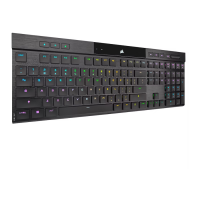
Do you have a question about the Corsair K100 AIR and is the answer not in the manual?
Identifies and describes all keys, indicators, and their functions for user familiarity.
Guides on initial charging, setup, and restoring the keyboard to default factory settings.
Explains battery status indicators, charging procedures, and tips for optimal battery performance.
Step-by-step instructions for establishing a Slipstream wireless connection.
Steps for pairing the keyboard with Bluetooth-enabled devices.
Instructions for establishing a wired connection using a USB cable.
Enables special mode for PlayStation 4 and 5 support via wireless and USB connections.
Keyboard operation when iCUE software is active and controlling the device.
Keyboard uses onboard profiles when iCUE is not active or supported.
Details built-in hotkeys for profile switching, brightness, and media control.
Explains how to control keyboard lighting effects using keyboard shortcuts.
Step-by-step guide for recording, clearing, and managing keyboard macros.
Safety guidelines and diagrams for safely removing the battery for disposal or recycling.
 General
| Polling rate | 8000 Hz |
|---|---|
| Numeric keypad | Yes |
| Keyboard layout | QWERTZ |
| Pointing device | No |
| Device interface | USB + RF Wireless + Bluetooth |
| Bluetooth version | 4.2 |
| Keyboard language | Swiss |
| Recommended usage | Gaming |
| Number of hot keys | 4 |
| Key travel distance | 0.8 mm |
| Keyboard key switch | Mechanical |
| Keyboard form factor | Full-size (100%) |
| Keyboard key profile | Low-profile |
| Keyboard number of keys | 109 |
| Built-in memory capacity | 8192 KB |
| Keyboard key switch technology | CHERRY MX Ultra |
| Material | Aluminum |
| Product color | Black |
| Backlight type | RGB LED |
| Keyboard style | Straight |
| Backlight color | Multicolor |
| Wireless range | 10 m |
| USB connector type | USB Type-C |
| USB 3.2 Gen 1 (3.1 Gen 1) Type-C ports quantity | 1 |
| Power source type | Battery, USB |
| Battery life (max) | 200 h |
| Keyboard battery type | Built-in battery |
| Number of products included | 1 pc(s) |
| Wireless receiver interface | USB Type-A |
 Weight and Dimensions
| Keyboard weight | 780 g |
|---|---|
| Keyboard dimensions (WxDxH) | 437 x 156 x 17 mm |

 To Next Page