EasyManua.ls Logo

Corsair K57 - User Manual

Corsair K57
7 pages
Print Icon
To Next Page IconTo Next Page
Loading...
Skip to content
Manuals+
User Manuals Simplified.
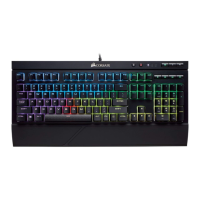
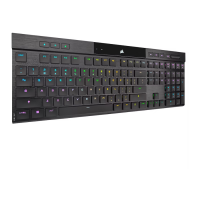
CORSAIR K57 RGB Wireless Gaming Keyboard Slipstream Wireless
Technology Owner’s Manual
Home » Corsair » CORSAIR K57 RGB Wireless Gaming Keyboard Slipstream Wireless Technology Owner’s Manual
K57 RGB WIRELESS
Gaming Keyboard
with SLIPSTREAM WIRELESS Technology
Question and Answer IconNeed help?

Do you have a question about the Corsair K57 and is the answer not in the manual?

Summary

Charging the Keyboard

Getting to Know the Keyboard

Setting Up 2.4 GHz Slipstream Wireless

Setting Up Bluetooth Wireless

Built-in Lighting Modes

Lighting and Battery Life

Macro Functions

File Downloads

References

Related Manuals

Corsair K57 Specifications

General IconGeneral
BacklightingRGB
Key SwitchesMembrane
Dedicated Media KeysYes
Key Rollover8-key rollover
Connection TypeWireless
Macro Keys6 dedicated macro keys
Keyboard LayoutStandard
Wireless RangeUp to 10 meters
Report Rate1ms
Keyboard CUE SoftwareSupported
Weight950g
CompatibilityWindows 7, 8.1, 10
Battery LifeUp to 35 hours with RGB lighting, up to 175 hours without
Dimensions480mm x 166mm x 35mm

Videos

How to Setup Your Corsair K57 RGB Wireless Keyboard

Related product manuals