1 2
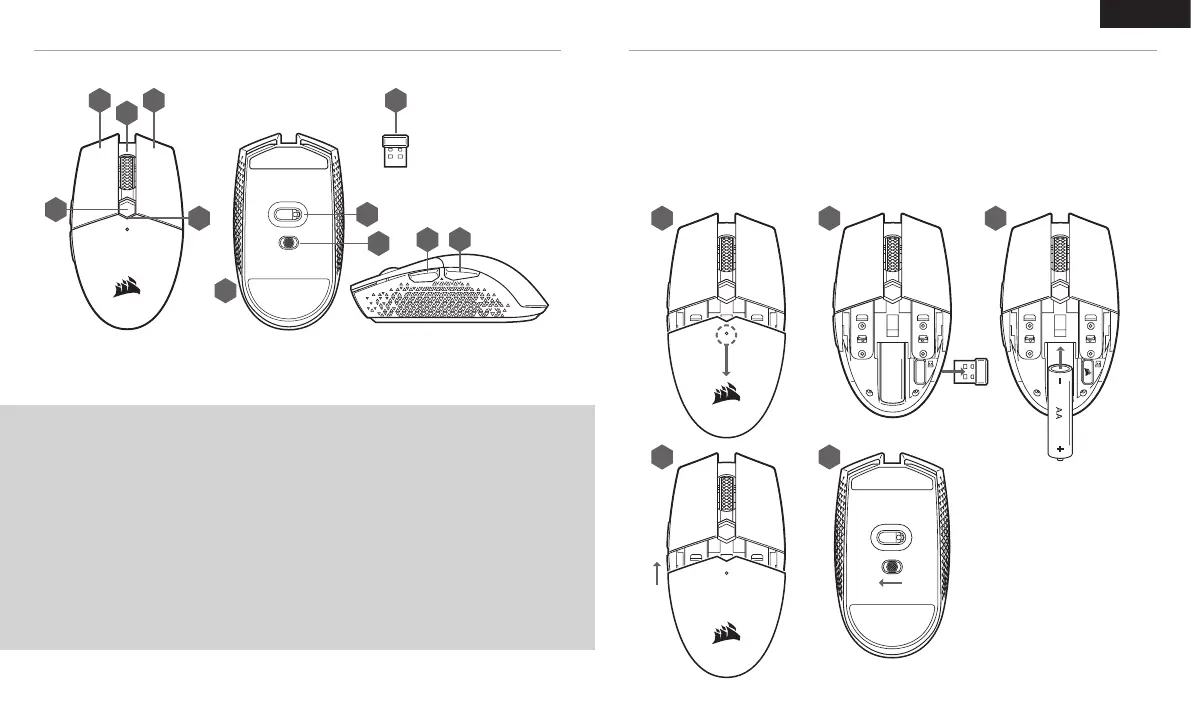
A B K
E F
C
J
I
G
H
D
ENGLISH
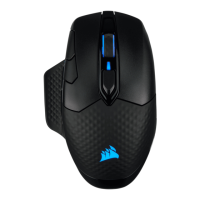
A — LEFT CLICK BUT TON
B — RIGHT CLICK BUTTON
C — MIDDLE CLICK BUT TON
D — DPI BUT TON
E — FORWARD BUTTON
F — BACKWARD BUTTON
G — MULTI-PURPOSE LED INDICATOR
H — OPTICAL GAMING SENSOR
I — PTFE GLIDE PADS
J — POWER / WIRELESS MODE SWITCH
K — USB WIRELESS RECEIVER
GETTING TO KNOW YOUR MOUSE SETUP GUIDE
1
4
2
5
3
1. Remove the top cover by pressing and pulling the small dot near the DPI button.
2. Remove the USB receiver and plug it into an available USB port on a PC (skip this if you wish to connect
via Bluetooth).
3. Insert one (1) AA battery.
4. Close the battery cover.
5. Turn on the mouse by flipping the switch on the bottom to 2.4GHz (flip to Bluetooth if you wish to connect
via Bluetooth).
*The steps are also applicable for battery removal & product disassembling.






 To Next Page