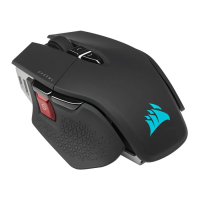
The M75 WIRELESS side buttons are set to a right-handed option by default. You
can select your hand option using iCUE software and swap the side button functions
to your preference.
Hand swap is also available through rmware mode.
Press and hold LEFT FORWARD BUTTON (K) and LEFT BACK BUTTON (L) for 5
seconds until the RGB INDICATOR blinks red lights to change to Left-handed mode.
Press and hold RIGHT FORWARD BUTTON (M) and RIGHT BACK BUTTON (N) for 5
seconds for Right-handed mode.
BATTERY REMOVAL INFORMATION
This product uses a rechargeable battery and safety guidelines must be followed in
the event that the product is disabled for disposal and recycling. To safely remove
the battery for disposal and recycling, follow the numbered steps with the below
diagrams.
CORSAIR MEMORY, Inc. encourages customers to recycle used electronic hardware
and rechargeable batteries in accordance with local laws and regulations.
1. Remove Front and Rear Footpads
2. Remove x4 Screws
3. Remove Top Cover Assembly
4. Unplug Daughter Board Connector
5. Unplug Battery Connector
6. Remove Battery






 To Next Page