
 Need help?
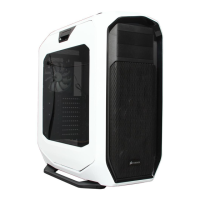
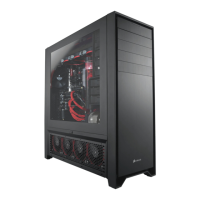
Do you have a question about the Corsair OBSIDIAN 900D and is the answer not in the manual?
Lists all hardware components and quantities included with the PC case for installation.
Details the various mounting options, drive bays, I/O ports, and other case functionalities.
 General
| Type | Full Tower |
|---|---|
| Motherboard Compatibility | E-ATX, ATX, Micro-ATX, Mini-ITX |
| External 5.25" Drive Bays | 4 |
| Internal 3.5" Drive Bays | 9 |
| Expansion Slots | 10 |
| Cooling Support (Front) | 3 x 120mm or 2 x 140mm |
| Cooling Support (Top) | 3 x 120mm or 2 x 140mm |
| Cooling Support (Bottom) | 2 x 120mm |
| Included Fans | 3 x 120mm (Front), 1 x 140mm (Rear) |
| Radiator Support (Front) | up to 360mm |
| Radiator Support (Bottom) | up to 240mm |
| Radiator Support (Side) | up to 240mm |
| Power Supply Support | Standard ATX |
| Max GPU Length | 450 mm |
| Max CPU Cooler Height | 180 mm |
| Material | Steel, Aluminum, Plastic |
| Cooling Support (Rear) | 1 x 120mm |
| Cooling Support (Side) | 2 x 120mm |
| Front Ports | 2 x USB 3.0, 1 x Headphone, 1 x Microphone |



 To Next Page