EasyManua.ls Logo

Corsair Carbide series - User Manual

Corsair Carbide series
76 pages
Print Icon
To Next Page IconTo Next Page
Loading...
WEB: corsair.com
PHONE: (888) 222-4346
WARRANTY: www.corsair.com/
support/warranty
SUPPORT: support.corsair.com
BLOG: corsair.com/blog
FORUM: forum.corsair.com
YOUTUBE: youtube.com/corsairhowto
© 2018-2020 CORSAIR MEMORY, Inc. All rights reserved. CORSAIR and the sails
logo are registered trademarks in the United States and/or other countries. All other
trademarks are the property of their respective owners. Product may vary slightly from
those pictured. 49-001693 AE
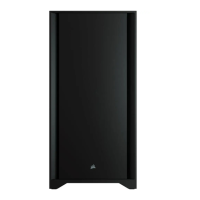
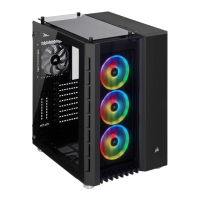
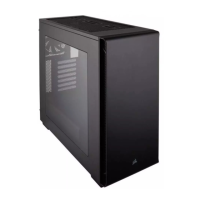
Mid-Tower Gaming Case
CARBIDE SERIES
®
SPEC 06
CARBIDE SERIES
®

Table of Contents

Other manuals for Corsair Carbide series

Question and Answer IconNeed help?

Do you have a question about the Corsair Carbide series and is the answer not in the manual?

Summary

Carbide Series SPEC-06: Installation and Component Guide

Side Panel Removal Guide

Step-by-step instructions for safely detaching the side panels from the computer chassis.

Motherboard Installation Procedure

Guide on correctly mounting motherboards (ATX, Micro-ATX, ITX) inside the case.

Storage Drive (HDD;SSD) Mounting

Detailed steps for installing 3.5-inch HDDs and 2.5-inch SSDs into the case's designated bays.

Power Supply and Expansion Card Setup

Instructions covering the installation of the power supply unit and PCI-e expansion cards.

Front Panel I;O and RGB Controller Connection

Connects front panel USB, audio, power/reset switches, and explains RGB fan controller operation.

User Frequently Asked Questions

Answers common user inquiries regarding polarity, damage, and fan mounting specifications.

Corsair Carbide series Specifications

General IconGeneral
TypeMid Tower
Motherboard SupportATX, Micro-ATX, Mini-ITX
MaterialSteel, Plastic
Expansion Slots7
Front I/O Ports1 x Headphone, 1 x Microphone
Radiator Support120mm rear
Drive Bays2 x 2.5", 2 x 3.5"

Related product manuals