Mounting the Cortelco 2554 Telephone on a
Wall Jack
The Cortelco 2554 Telephone is designed to be mounted on a standard RJ-11 wall jack. This jack is
pictured below.
The jack must have mounting posts in order to hold the 2554. Also, note that the jack must be mounted
so that the small cutout is at the bottom of the plastic jack.
The 2554 has two different ways of connecting to the line. Newer phones will have a short line cord
(pigtail cable). Older phones will have a gray sliding jack.
Pigtail Cable Version
To mount the phone, plug the connector on the line cord into the wall jack. Then place the mounting
holes over the mounting posts in the jack and slide the phone down to latch it to the jack.

 Need help?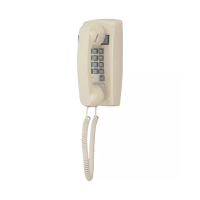

 To Next Page
 General