Need help?
Do you have a question about the Cortelco 9225 and is the answer not in the manual?
Essential safety measures for operating the telephone equipment.
Guidelines for product servicing, handling spills, and environmental factors.
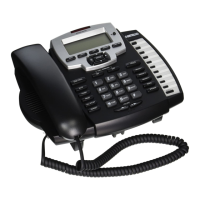
Identification and function of buttons on the front of the telephone.
Identification of jacks and switches on the back and side of the telephone.
Steps for mounting the telephone on a wall jack.
Instructions for attaching the desk stand and setting up the phone.
Configuring the Call Waiting feature for Caller ID display.
Manually setting the current time and date if Caller ID is not available.
How to answer incoming calls using the handset, headset, or speakerphone.
Steps to initiate a call using Line 1 or Line 2.
Using the speakerphone for both incoming and outgoing calls.
Using the Flash button for PABX services or Call Waiting.
Steps to program a number into a speed dial memory button.
Saving incoming call records or dialed numbers to memory.
Saving an incoming Caller ID record to a memory button.
Steps to add a new contact with number and name to the phone book.
Saving an incoming Caller ID record into the phone book.
Display of caller name, number, date, and time for incoming calls.
Viewing Caller ID information for incoming calls during an active call.
Troubleshooting steps for a silent telephone.
Diagnosing issues when no dial tone is present.
Troubleshooting why Caller ID information is not appearing.
Resolving issues with Caller ID display during call waiting.

 To Next Page
 General