11ASSEMBLY INSTRUCTIONS |
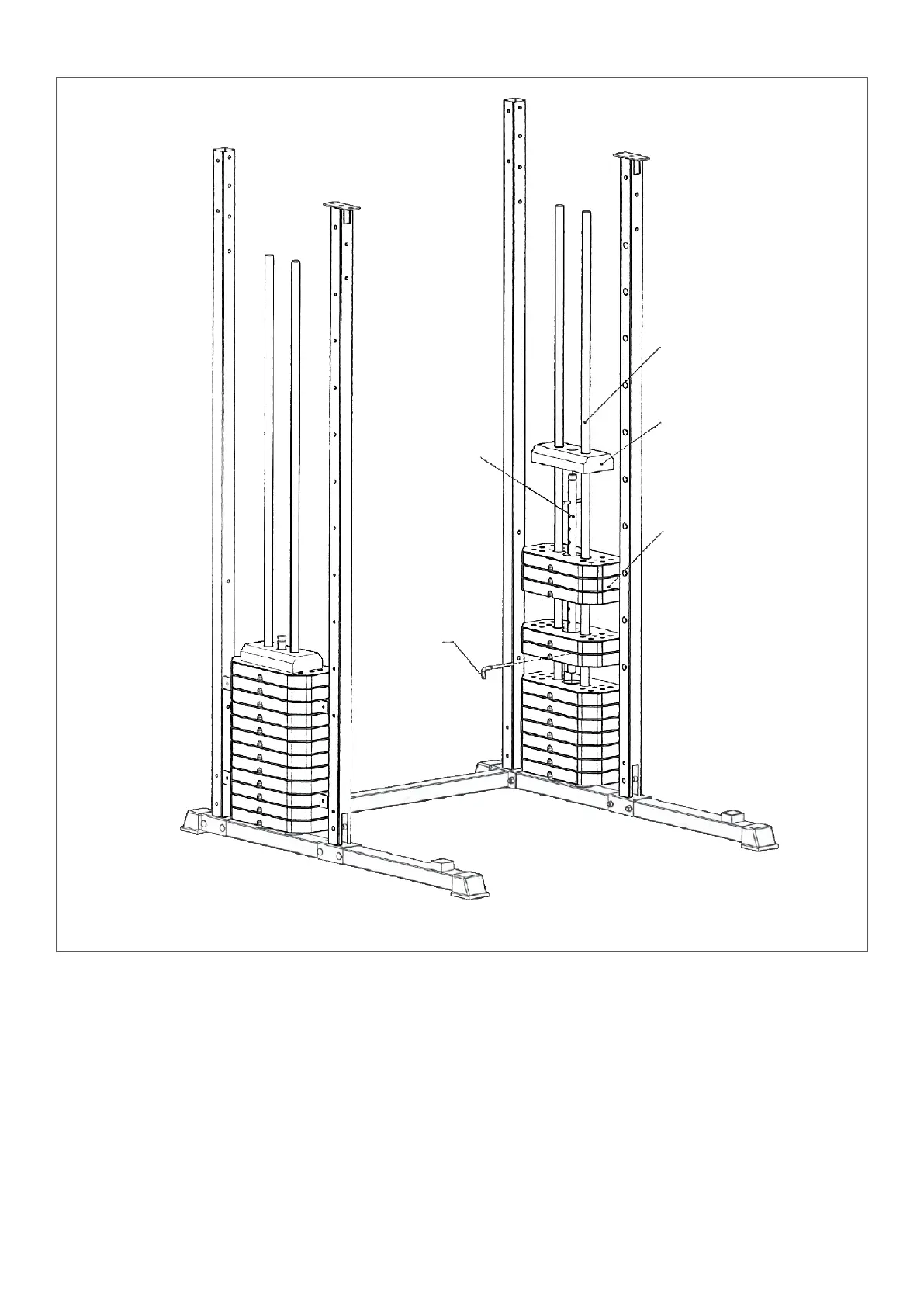
STEP 4
1. Insert the weight stacks part 43 into part 16 as pictured with the holes facing down.
2. Insert part 21 into the middle, through the weight stacks.
3. Lastly add the part 42 weight on top of the other weight stacks as pictured.
4. Insert part 57 to choose your desired weight load. Make sure it goes into the hole for part 21.
21
57
42
43
16


 To Next Page