Chapter 3 - Installation - 39
Connecting the K4 b
2
to the PC
K4 b
2
can be connected to any PC provided with serial port in order to monitor "on-
line" physiological data during any kind of activity.
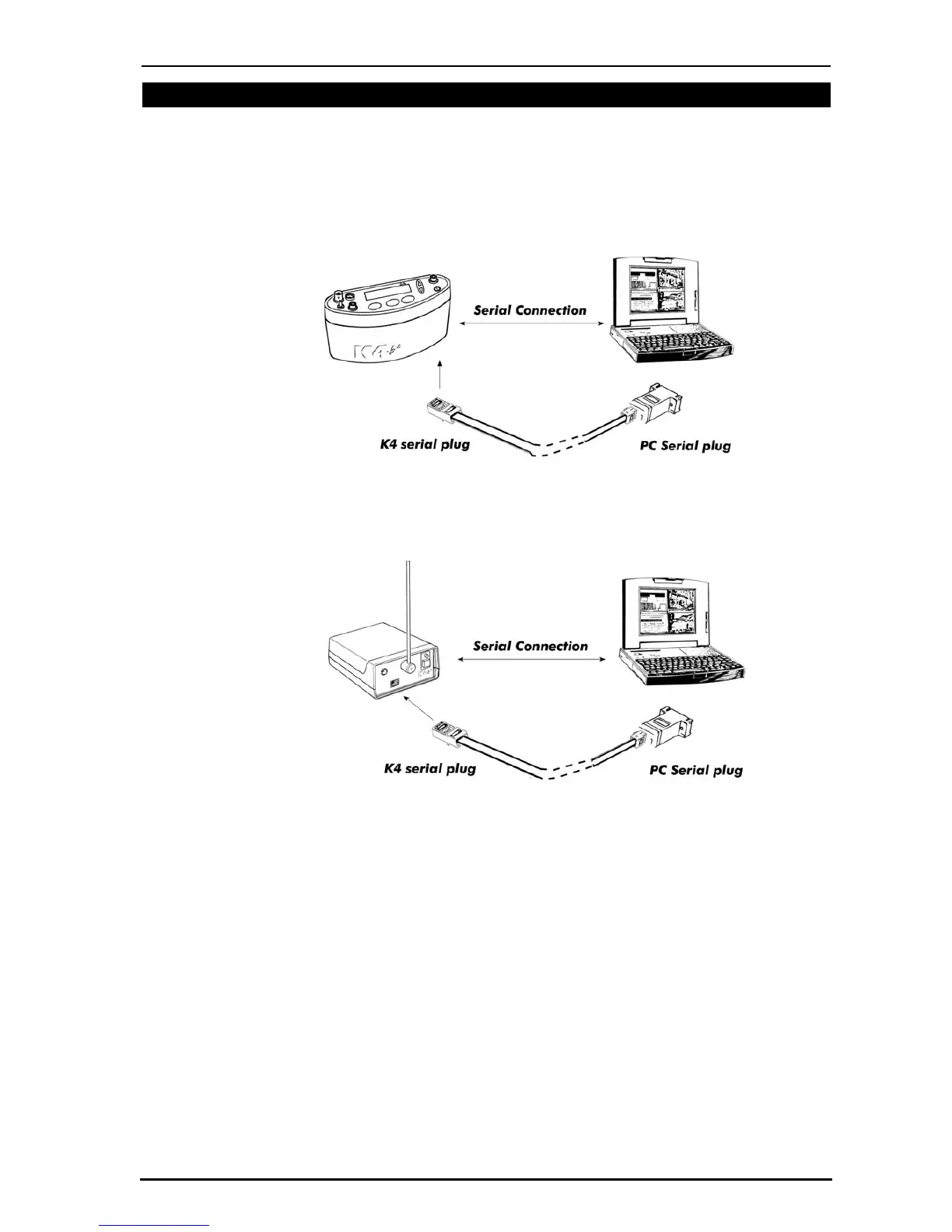
Connect the Portable Unit to the PC
Connect the K4 b
2
Portable Unit to a serial port available in the PC. Be sure to set the
K4 b
2
software to the proper serial port for the transmission.
Connect the Receiver Unit to the PC
Connect the telemetry module to a serial port available in the PC. Be sure to set the K4
b
2
software to the proper serial port for the transmission.



 To Next Page