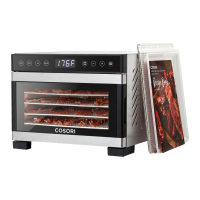
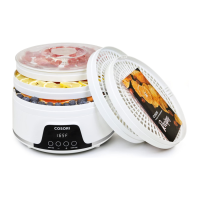
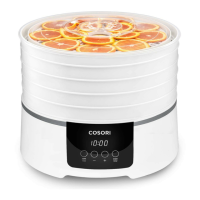
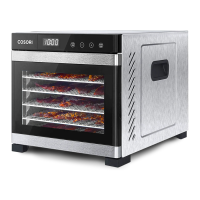
This document describes the COSORI Premium Pro 10-Tray Food Dehydrator, model CFD-P101-SUS, a kitchen appliance designed for drying food items such as fruits, vegetables, bread, and flowers. The dehydrator utilizes an automatic fan to circulate warm air horizontally, ensuring even and quick drying while preserving nutritional value and flavor.
Function Description:
The Cosori Food Dehydrator is used to remove moisture from food, which helps in preservation and creates healthy snacks. It features a horizontal airflow system for efficient and consistent drying. The device is equipped with a control panel that allows users to set and adjust temperature and time settings. It comes with multiple trays for holding food, along with specialized accessories like a fruit roll sheet and a mesh screen to accommodate different types of food and drying needs. The dehydrator is designed for household use and is not intended for commercial applications.
Important Technical Specifications:
- Model: CFD-P101-SUS
- Power Supply: AC 120V, 60Hz
- Rated Power: 1000W
- Capacity: 55 qt / 52 L (serves 10-12 people)
- Temperature Range: 95°–165°F
- Temperature Adjustment: 1°F increments
- Time Range: 0:30–48:00 hours
- Time Adjustment: 30-minute increments
- Dimensions: 16.9 x 21.3 x 16.4 inches / 42.9 x 54.1 x 41.7 cm
- Weight: 36 lb / 16.3 kg
- Included Accessories: 10 trays, 1 fruit roll sheet, 1 mesh screen, 1 recipe book, 1 user manual.
Usage Features:
- Control Panel: The dehydrator features a digital display showing time and temperature. Buttons for "TEMP/TIME," "+", and "-" allow for easy adjustment of settings. The "START/STOP" button initiates or pauses the dehydration process.
- Temperature and Time Settings: Users can set the desired temperature between 95°F and 165°F in 1°F increments and the drying time from 30 minutes to 48 hours in 30-minute increments. Pressing and holding the "+" or "-" buttons allows for rapid adjustment.
- Standby Mode: After 3 seconds of inactivity, the dehydrator enters standby mode, indicated by "--:--" on the display.
- Automatic Shut-off: The dehydrator automatically turns off and beeps 5 times when the set drying time is complete, displaying "End."
- Memory Function: The device remembers the previous temperature and time settings for convenience.
- Tray Capacity: The trays can safely hold up to 7.7 lb / 3.5 kg of food. Users are advised to avoid overloading or overlapping food for optimal drying.
- Accessories:
- Fruit Roll Sheet: Ideal for making fruit rolls and strips from fresh, frozen, or canned fruit. It can also be used for pouring purée onto a tray or placed at the bottom of the dehydrator to catch dripping liquids, simplifying cleanup.
- Mesh Screen: Used for foods that shrink during drying, preventing them from falling through the tray grates.
- Sound Control: The dehydrator's sounds can be turned on or off by pressing and holding the "+" button for 5 seconds while in standby mode ("--:--").
- Safety Features: Includes overheat protection, which automatically shuts down the dehydrator if it overheats. The device uses a 3-prong grounding plug and should only be used with 120V, 60Hz electrical systems. It is not compatible with 220-240V outlets.
- Recipe Book and Online Resources: The product comes with a recipe book, and users can download the free VeSync app for additional recipes, video tutorials, and community interaction.
Maintenance Features:
- Cleaning:
- The housing, trays, and tray liners should be cleaned with a damp cloth.
- The trays are dishwasher-safe.
- The mesh screen and fruit roll sheet should not be washed in a dishwasher.
- For stubborn food residue, trays can be soaked in hot, soapy water, and a soft brush can be used if needed.
- All parts should be thoroughly dried before storage or next use.
- Prohibited Cleaning Materials: Abrasive chemicals or metal scouring pads should not be used, as they can damage the dehydrator's surface.
- Cool-down Period: After 48 hours of continuous use, the dehydrator should be unplugged and allowed to cool for 2 hours before being used again.
- Storage: Dry all parts completely before storing the dehydrator.
- Troubleshooting: The manual provides solutions for common issues such as the dehydrator not turning on, fan not working, error codes ("E1," "E2," "E3," "E4"), and uneven drying. For "E4" errors, it indicates use at too high a voltage (e.g., 220-240V) and advises unplugging and using at 120V, 60Hz. For other issues, users are directed to contact Customer Support.

 Need help?
 General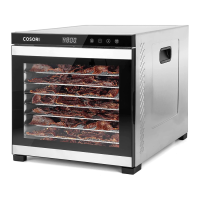

 To Next Page