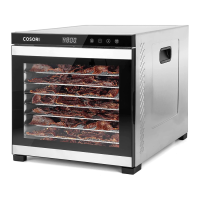
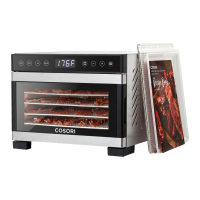
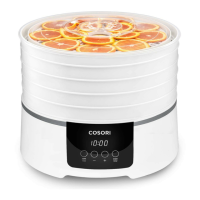
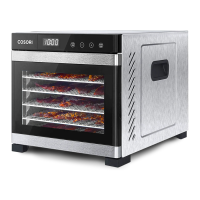
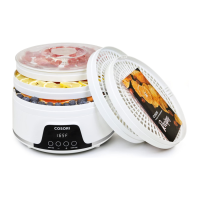
The Cosori Pioneer 5-Tray Food Dehydrator, model CFD-N051-W, is designed to preserve a variety of foods by circulating warm air, allowing users to create healthy snacks, dried fruits, vegetables, bread, and even flowers. This appliance features an automatic fan that ensures even drying, helping to retain the nutritional value and flavor of the food.
Function Description
The dehydrator operates by circulating warm air through multiple trays, gradually removing moisture from food items. This process inhibits the growth of bacteria and mold, extending the shelf life of food without the need for artificial preservatives, coloring, or additives. The device is equipped with a control panel that allows users to set and adjust both temperature and time, providing precise control over the dehydration process.
To begin, users place prepared food items on the drying trays. The trays are designed to hold up to 1.1 lb (0.5 kg) of food each, with a recommendation to start loading the bottom tray first and use the top tray last. Care should be taken not to overload the trays, and they can be rotated to provide more spacing if needed. Once the food is arranged, the dehydrator is plugged in, and the display will show "88:88" before switching to standby mode ("--:--").
Users then press the "TEMP/TIME" button to select the desired temperature, which can be adjusted using the "+" and "–" buttons in 1°F increments, ranging from 95°F to 165°F (35°C to 73°C). Holding the "+" or "–" buttons allows for rapid temperature changes. Pressing "TEMP/TIME" a second time allows for setting the dehydration duration, adjustable in 30-minute increments from 0:30 to 48:00 hours. Rapid time changes are also possible by holding the "+" or "–" buttons.
After setting the temperature and time, pressing "START/STOP" initiates the dehydration process. The dehydrator will begin heating, and the "START/STOP" button will remain lit while other buttons turn off. The display will cycle between showing the current temperature and time every 3 seconds. If "START/STOP" is pressed again during operation, the dehydration will stop, the timer countdown will reset, and the unit will return to standby mode. The temperature and time settings can be changed at any point during operation by pressing "TEMP/TIME."
Upon completion of the set time, the display will show "End," the heating element will turn off, and the dehydrator will beep 5 times. The fan will continue to run for an additional 5 seconds before stopping completely. A convenient feature is that the dehydrator remembers the previous temperature and time settings for future use.
The dehydrator is designed with an overheat protection feature. In the rare event of overheating, the unit will automatically shut down as a safety measure and will not turn on again. In such cases, users are advised to contact customer support.
Usage Features
The Cosori dehydrator is intended for household use only and should not be used for commercial purposes. It is recommended to use the dehydrator in a warm, dry room, as humidity in the air and moisture content in the food can influence the dehydration time.
For optimal results and to ensure even drying, it is important to cut foods evenly. Food placed in the lower trays tends to cook faster, so rotating the trays every few hours is advised to achieve consistent drying across all items. The user manual and an included recipe book provide numerous tips and recipes for dehydrating various foods, helping users get the most out of their appliance.
The dehydrator operates on a 120V, 60Hz electrical system. Attempting to use it with a higher voltage (e.g., 220-240V) will result in an "E4" error on the display, indicating an incompatible power supply. The device has a polarized plug, meaning one prong is wider than the other, and it should only fit into a polarized outlet one way. If the plug does not fit, it should be reversed. Users are cautioned not to alter the plug or use the dehydrator with an incompatible outlet.
To manage sounds, users can turn them on or off by waiting for the display to show "--:--" and then pressing and holding the "+" button for 5 seconds until the dehydrator beeps once.
Maintenance Features
Before first use, it is essential to remove all packaging and ensure all package contents are present. The base and trays should be cleaned with a moistened cloth. The trays are dishwasher-safe and can be washed in the top rack of a dishwasher, but only if removed before the drying cycle starts. The base, however, should never be washed in a dishwasher or immersed in water.
After cleaning, the dehydrator base should be placed on a solid, level surface and plugged in. For initial setup, it is recommended to run the dehydrator for 30 minutes at any temperature without food. This helps to ventilate any manufacturing smells or smoke, which is considered normal for the first use. After this initial run, the trays should be rinsed in water and all parts dried. This first-time setup procedure only needs to be performed once.
For regular cleaning, the dehydrator should be unplugged and allowed to cool completely before maintenance. If any recipes leave liquid or residue, paper towels can be used to wipe down the trays. Soaking the trays in hot, soapy water can help in easily removing food residue, and a soft brush can be used for cleaning. A damp cloth is suitable for cleaning the surface of the dehydrator base. Abrasive chemicals should not be used on any part of the dehydrator, as they can damage the surface. All parts must be thoroughly dried before storing or reusing the dehydrator.
When storing the dehydrator, the base can be turned upside down, and the power cord can be wrapped around the center of the base, secured under clips. The trays can then be stacked upright on top of the dehydrator as normal.
The manual also provides troubleshooting tips for common issues, such as the dehydrator not turning on, the fan not working, or error codes like "E1," "E2," "E3," and "E4" appearing on the display. For persistent issues or malfunctions, contacting customer support is recommended.


 To Next Page
 General