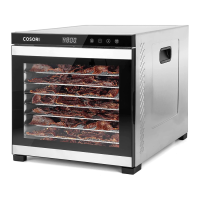
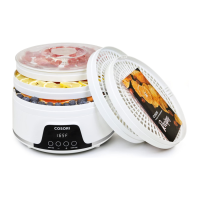
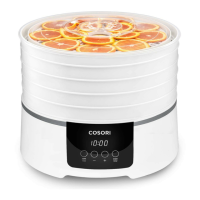
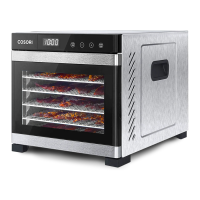
This document is the user manual for the COSORI Premium Mini 5-Tray Food Dehydrator, model CFD-P501-SUS.
Function Description
The COSORI Premium Mini 5-Tray Food Dehydrator is designed to evenly and quickly dry food by circulating warm air horizontally. It allows users to preserve snacks, fruits, vegetables, bread, and flowers, retaining most of their nutritional value and flavor. The dehydrator features an automatic fan and includes four convenient dehydrating functions: Jerky, Fruit, Vegetable, and Yogurt, each pre-programmed with ideal time and temperature settings. Users can also customize these settings.
Important Technical Specifications
- Model: CFD-P501-SUS
- Power Supply: AC 120V, 60Hz
- Rated Power: 480W
- Temperature Range: 95°–176°F / 35°–80°C
- Time Range: 30 minutes – 48 hours
- Dimensions: 13.9 x 11.3 x 8.9 inches / 35.3 x 28.8 x 22.6 cm
- Weight (Including Accessories): 10.7 lb / 4.9 kg
- Included Accessories: 1 x Mini Stainless Steel Food Dehydrator, 5 x Trays, 1 x Fruit Roll Sheet, 1 x Mesh Screen, 1 x Recipe Book & Quick Start Guide, 1 x User Manual.
- Safety Features: Overheat protection, 3-prong grounding plug for 120V, 60Hz electrical systems in North America.
- Material: Stainless steel housing.
Usage Features
- Control Panel: Features buttons for JERKY, FRUIT, VEG, YOGURT functions, TEMP/TIME button, and + / - buttons for adjusting temperature and time, and a START/STOP button.
- Display: Shows current temperature and time settings.
- Dehydrating Functions:
- JERKY: Default 165°F / 73°C, 4 hours.
- FRUIT: Default 145°F / 62°C, 6 hours.
- VEGETABLE ("VEG"): Default 135°F / 57°C, 8 hours.
- YOGURT: Default 110°F / 43°C, 10 hours.
- Customization: Users can tap the TEMP/TIME button to adjust temperature (95°–176°F) and time (30 minutes – 48 hours) in 1°F/1°C and 30-minute increments, respectively. Pressing and holding + or - buttons allows for rapid changes.
- Saving Custom Settings: Press and hold a function's button after adjusting settings until a beep is heard to save custom settings.
- Resetting Functions: To reset a single function, press and hold its button and TEMP/TIME for 3 seconds. To reset all functions, press and hold both + and - buttons for 3 seconds.
- Operation: Place food on trays (up to 7.7 lb / 3.5 kg), avoiding overloading. Insert trays with the smooth side of the frame facing down to prevent scratching. Plug in the dehydrator, select a function, and press START/STOP. The display will cycle between temperature and time for 3 minutes, then show only time.
- Standby Mode: The dehydrator enters Standby Mode after plugging in, after stopping dehydration, or after 3 minutes of inactivity, displaying "--:--". Tapping any button resumes operation.
- Sound Control: Press and hold +, -, and TEMP/TIME for 3 seconds to toggle sounds on/off.
- Fan-Only Mode: Press and hold JERKY, FRUIT, and VEG for 3 seconds to use only the fan without heat.
- Temperature Unit Switching: Press and hold TEMP/TIME for 3 seconds to switch between Fahrenheit and Celsius.
- Accessories:
- Fruit Roll Sheet: Used for making fruit rolls and strips, or for pouring purée. Can also be placed at the bottom to catch drips.
- Mesh Screen: Prevents small, dried foods from falling through tray grates.
- Tips: Homemade dried foods may look different from store-bought due to the absence of preservatives, artificial coloring, or additives. Refer to the Recipe Book for more tips.
Maintenance Features
- Cleaning:
- Unplug and allow the dehydrator to cool before cleaning.
- Soak trays in hot, soapy water to remove food residue. Use a soft brush if needed.
- Trays are dishwasher-safe.
- Do not wash the mesh screen or fruit roll sheet in a dishwasher.
- Clean the dehydrator housing with a damp cloth.
- Dry all parts thoroughly before storing or using.
- Storage: Do not store materials other than COSORI recommended accessories inside the dehydrator when not in use.
- General Care: Do not use abrasive chemicals or metal scouring pads, as these will damage the surface. Do not run the dehydrator for more than 48 hours at a time; allow it to cool for 2 hours before reusing.
- Troubleshooting: Provides solutions for common issues like the dehydrator not turning on, fan not working, error codes ("E1" or "E2"), and uneven drying. Contact Customer Support for unlisted problems.

 Need help?
 General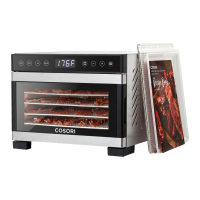

 To Next Page