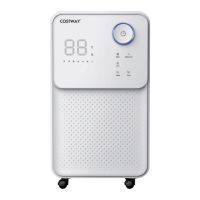
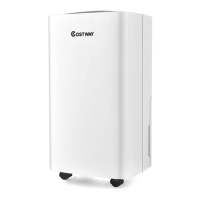
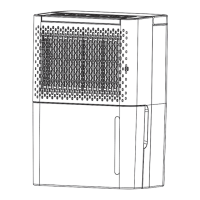
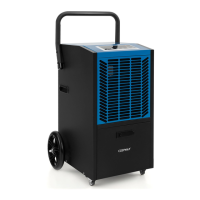
This document serves as a comprehensive user's manual for the Costway Dehumidifier ES10105US, providing essential information for its safe operation, maintenance, and troubleshooting. It emphasizes user safety and proper handling to ensure the longevity and efficient performance of the appliance.
Function Description
The Costway Dehumidifier ES10105US is designed to effectively remove excessive moisture from the air, thereby reducing relative humidity in indoor environments. This reduction in humidity helps protect buildings and their contents from the adverse effects of dampness, such as mold growth, mildew, and structural damage. The unit operates by drawing in moist air, extracting the water vapor, and then releasing drier air back into the room. The collected water is stored in a removable tank or can be continuously drained via a hose.
Usage Features
The dehumidifier boasts a range of features designed for user convenience and optimal performance:
- Powerful Moisture Removal: The primary function is efficient extraction of moisture from the air.
- Humidity Monitor: An integrated humidity monitor displays the current air humidity, allowing users to keep track of the indoor environment.
- Auto Mode: This intelligent mode automatically adjusts humidity levels to maintain a comfortable and healthy environment, switching off the compressor and fan when the desired humidity is reached to save energy. The unit will automatically restart if the room humidity rises again.
- 24-Hour Timer: Users can set a 24-hour timer for scheduled operation, allowing the unit to turn on or off automatically at specified times. This is useful for pre-cooling/dehumidifying a room or ensuring the unit turns off after a certain period.
- Air Purification: The unit effectively removes moisture and dust from the air, contributing to improved indoor air quality.
- Energy Efficiency: Designed for low power consumption, making it an energy-efficient appliance.
- Two-Speed Fan: A quiet fan offers two speed settings (high and low) to suit different needs and noise preferences.
- Auto-Defrost: At low temperatures, the unit automatically defrosts to prevent ice buildup on the coils, ensuring continuous operation.
- Auto Shut-off/Auto Restart: The unit automatically shuts off when the water tank is full or when the set humidity is reached. It can also auto-restart after a power outage, resuming its previous settings.
- Electronic Control: Features an intuitive electronic control panel for easy operation.
- Laundry Drying Function: A dedicated function to assist in drying laundry indoors, making it particularly useful in humid conditions.
- Antibacterial Filter: Equipped with an antibacterial filter to further enhance air quality by trapping bacteria and other airborne particles.
- Drainage Options: Offers both manual draining via a 6.5L water tank and continuous drainage using a hose, providing flexibility based on user preference and installation.
- Child Lock: A child lock function prevents unintended changes to settings, ensuring safety in households with children.
- Sleep Mode: In sleep mode, the unit operates at a low fan speed with a fixed target humidity of 60%. Indicators for sleep function, child lock, and power dim, while other displays go out, promoting a quiet and undisturbed environment.
- 3-Color Digital Display: The digital display changes color based on ambient humidity: blue for <45%, green for 45% to 65%, and red for >65%.
- Compressor Protection Delay: A 3-minute delay protects the compressor, ensuring its longevity by preventing rapid cycling.
Maintenance Features
Proper maintenance is crucial for the dehumidifier's efficiency and lifespan. The manual outlines several key maintenance procedures:
- Water Tank Management: The built-in device in the water tank automatically shuts down the unit when the tank is full, accompanied by a buzzing sound and a "Water Full" light. Users are instructed to empty, clean, and correctly replace the tank. It is critical not to discard the magnets and plastic rivets in the tank, as they are essential for the unit's automatic shut-off function. Regular cleaning of the water tank with clean water (avoiding detergents, steel wire balls, or harsh solvents) is recommended to prevent damage and leaks.
- Air Filter Cleaning: The air filter needs regular cleaning, ideally every two weeks, to prevent dust buildup that can restrict airflow and reduce efficiency. The filter is removable for easy cleaning, either by rinsing under running water or using a vacuum cleaner. Operating the unit without the air filter is discouraged to prevent contamination of the evaporator.
- General Cleaning: Before any cleaning or maintenance, the machine must be turned off and unplugged from the power source to prevent electric shock. The manual advises against cleaning the appliance with any chemicals.
- Troubleshooting Guide: The manual includes a detailed troubleshooting section to help users identify and resolve common issues, such as the unit not operating, insufficient condensate formation, water leakage, or excessive noise. It provides clear inspection steps and corresponding solutions, including checking power connections, emptying the water tank, cleaning the air filter, and ensuring proper unit placement.
- Humidity Sensor Maintenance: If the humidity sensor is damp or faulty, the manual suggests cleaning or replacing it, indicating the importance of this component for accurate humidity readings and control.
- Professional Assistance: For unclear questions or issues requiring more skilled intervention, users are advised to contact customer service. Servicing involving refrigerant circuits should only be performed by industry-accredited personnel.
The manual emphasizes that the dehumidifier is intended for indoor residential applications only and should not be used outdoors. It also provides guidelines for safe placement, ensuring adequate space for air circulation and avoiding proximity to heat sources, direct sunlight, or areas with poor ventilation. The importance of keeping doors and windows closed during operation to maximize energy efficiency is also highlighted.


 To Next Page
 General