EasyManua.ls Logo

Costway ES10122US - User Manual

Costway ES10122US
27 pages
Print Icon
To Next Page IconTo Next Page
Loading...
THIS INSTRUCTION BOOKLET CONTAINS IMPORTANT SAFETY INFORMATION. PLEASE READ AND KEEP FOR FUTURE REFERENCE.
Air Cooler
ES10122US
USER’S MANUAL
Question and Answer IconNeed help?

Do you have a question about the Costway ES10122US and is the answer not in the manual?

Overview

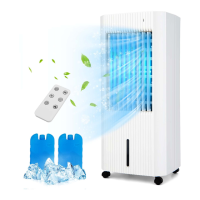
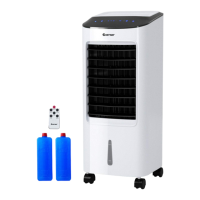
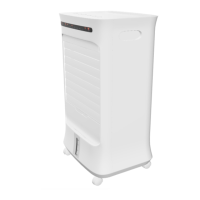
The COSTWAY Air Cooler ES10122US is a versatile air cooling device designed to lower room temperature and provide a comfortable environment through ventilating cooling. It features a sleek, tower-like design with a control panel and display panel on top, and is equipped with wheels for easy transport. The device can be operated via the control panel or an infrared remote control.

Function Description

The air cooler functions by filling its water tank with cold water and optionally ice cubes or ice packs. Air is drawn into the device, passed through a honeycomb filter, and then cooled before being discharged into the room. This process effectively lowers the ambient temperature and provides a refreshing breeze. The device offers three fan speed settings and can be manually adjusted via the ventilation flaps or automatically through selectable automatic swing mode. It also includes a night mode for ultra-silent operation at bedtime and a timer function for automatic shut-off. An overheating protection mechanism is integrated to ensure safety and prevent damage.

Important Technical Specifications

  • Model: ES10122US-WH
  • Rated voltage: 120 V
  • Frequency: 60 Hz
  • Rated power input: 78W
  • Air speeds: ≥1.8m/s.
  • Protection against electric shock level: II
  • Noise: 58dB(A)
  • Water tank capacity: The water tank should not be empty during operation, and the device will flash a cooling LED (22) when the water tank is less than 2.1 quarts.

Usage Features

The air cooler offers several operating modes and settings to customize the user experience:

Operating Modes:

  • Normal wind mode: Provides a steady airflow.
  • Natural wind mode: Simulates a natural breeze with varying fan speeds.
  • Sleep wind mode: Designed for quiet operation during sleep, with fan speeds that decrease over time.

Control Panel and Remote Control: The device can be controlled using buttons on the top panel or a remote control.

  • Cooling button (16): Switches the air cooling mode on or off. The Cooling LED (22) illuminates when active and flashes when the water tank is low.
  • Oscillation button (17): Activates or deactivates the swing function for wider air distribution. The Oscillation LED (23) illuminates when active.
  • Timer button (18): Sets the operating time from 1 to 15 hours. The corresponding Hours LEDs (24-27) indicate the activated timer duration.
  • Mode button (19): Selects between natural and night wind modes. The Mode LEDs (28-29) indicate the selected mode.
  • Speed button (20): Adjusts the fan speed (low, medium, high). The Fan stage LEDs (30-32) indicate the current speed.
  • On/Off button (21): Powers the device on or off. The On/Off LED (33) illuminates during operation.

Memory Function: The device saves the last selected operating settings after initial start-up. These settings are restored when the device is turned back on, unless the power is cut off, in which case the memory is cleared.

Cooling Function: The cooling function is activated by pressing the cooling button. It requires water in the tank. If the water tank is empty or low (less than 2.1 quarts), the pump switches off automatically, and the Cooling LED (22) flashes. The device will also buzz for 3 times and the Cooling LED will blink at 1Hz until the cooling function is cancelled or the power is cut off.

Swing Function: The horizontal ventilation flaps can be manually adjusted, while the vertical air flaps are integrated into the device and move automatically to ensure continuous air circulation when the oscillation function is activated.

Auto Stop Function: The device automatically switches off after 24 hours of continuous operation.

Refilling Water: The water tank is refilled by opening the top cover and adding water or ice. It is crucial not to exceed the maximum water level. Ice packs can also be used to enhance cooling.

Maintenance Features

Regular maintenance is essential to ensure the longevity and optimal performance of the air cooler.

Maintenance Intervals:

  • Clean the water tank: Before every start-up.
  • Clean the air inlets and outlets for dirt and foreign objects: Before every start-up.
  • Clean the exterior: Every 2 weeks.
  • Visually check the inside of the device for dirt: Every 2 weeks.
  • Check the air filter for dirt and foreign objects: Every 2 weeks.
  • Replace the honeycomb filter: Every 6 months.
  • Test run: Annually.

Activities Required Before Starting Maintenance:

  • Warning of electrical voltage: Do not touch the mains plug with wet or damp hands.
  • Switch the device off.
  • Hold onto the mains plug while pulling the power cable out of the mains socket.

Visual Inspection of the Inside of the Device for Dirt:

  1. Remove the air filter.
  2. Use a torch to illuminate the openings of the device.
  3. Check the inside of the device for dirt.
  4. Put the air filter back in.

Cleaning the Housing: Clean the device housing with a soft, damp, and lint-free cloth. Ensure no moisture enters the housing. Protect electrical components from moisture. Avoid aggressive cleaning agents such as cleaning sprays, solvents, alcohol-based, or abrasive cleaners.

Cleaning the Air Outlet: Use a vacuum cleaner to clean the dust from the air outlet.

Cleaning the Water Tank:

  1. Remove the air filter.
  2. Remove the honeycomb filter.
  3. Remove the water plug and put the water clean.
  4. Open the water tank cover again, wipe it with a wet cloth, if not clean, use a soft bristle brush gently.

Cleaning the Air Filter: Draw out the air filter from the rear housing, then put them together (honeycomb + filter frame) into the water for a few times, finally let it dry in the air. It is recommended to clean the air filter monthly.

Troubleshooting (Errors and Faults): The manual provides guidance for common issues:

  • Device does not start: Check power connection, power cable, mains plug for damages, and on-site fusing.
  • Device automatically switched itself off: Clear air inlet, check for overheating protection activation.
  • Device works with reduced or no capacity: Check horizontal ventilation flaps position, air filter for dirt, and ensure minimum distance to walls or other objects.
  • Device is running, but no air cooling or pump operation: Check if cooling mode is activated, water tank level, and if the pump inlet is blocked. Contact a qualified technician if the pump is defective.
  • Water is leaking: Check for leaks and ensure the water tank is tight fit.
  • Water tank cannot be inserted: Check mechanism for lowering the pump, ensure the pump is seen in the lower area, and push the pump up until the switch for lowering the pump can be seen.
  • Swing function is not working: The swing function motor might be defective. Contact a qualified technician.
  • Device is loud or vibrates: Check if the device is set up in a stable and upright position.
  • Device does not respond to infrared remote control: Check distance between remote control and device, ensure no obstacles, clean charging status of batteries, and replace batteries if necessary. If issues persist, wait 3 minutes after maintenance and repair work, then switch the device back on.

Disposal: The device should not be disposed of with household waste. It must be collected at designated points for waste electrical and electronic equipment to promote reuse, recycling, and recovery, and to prevent negative effects on the environment and human health from hazardous substances.

Costway ES10122US Specifications

General IconGeneral
BrandCostway
ModelES10122US
CategoryAir Conditioner
LanguageEnglish

Related product manuals