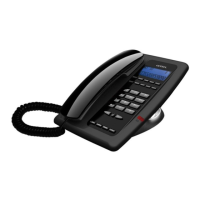
FG1088-A(1D)SP
C. Redial
Using the handset
1. Lift up the handset, press the REDIAL button to initial a redial call
2. To end the call, place the handset back on the cradle.
Using the speakerphone
1. Press the speakerphone button. The red LED indicates the speakerphone is active,
press the REDIAL button to initial a redial call
2. To end the call, press the speakerphone again. The LED will turn off.
D. Speakerphone Volume
1. Adjust the Vol+ or Vol- button to increase or decrease the speakerphone volume.
E. Ringer Volume
1. Flip the Hi-Lo switch below the telephone body to increase or decrease the ring
volume.
F. Flash
1. Press the FLASH button momentarily will enable a call transfer.
2. Press the FLASH button for a longer period of time will reactivate a dial tone to
make another call.
G. Hold
1. During conversation, press the HOLD button will place a call on hold. The opposite
party will hear music.
2. To deactivate the call on hold, press the HOLD button again.
H. Mute
1. During conversation, press the MUTE button will disable the opposite party from
hearing your conversation
2. To deactivate Mute, press the MUTE button again.
I. Programmable Memory Button
FG1088-A (1D) SP has up to 10 programmable memory buttons. These buttons can
be used to store commonly dial numbers or codes for activating PABX features.
Storing a number or a code
1. Off hook
2. Press SET/STORE key
3. Press desired numbers
4. Press desired memory key (M1~M10)


 To Next Page