Need help?
Do you have a question about the COUGAR AIRFACE PRO RGB and is the answer not in the manual?
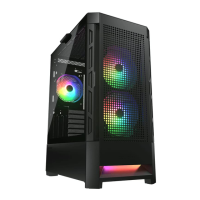
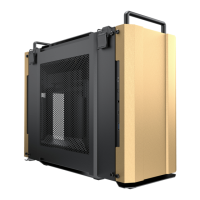
The COUGAR AIRFACE PRO RGB is a mid-tower PC case designed for gaming enthusiasts, offering a blend of aesthetic appeal and functional features. It supports a wide range of motherboard types, including Mini ITX, Micro ATX, ATX, CEB, and E-ATX, making it versatile for various build configurations. The case dimensions are 240mm (W) x 496mm (H) x 465mm (D) or 9.4 inches (W) x 19.5 inches (H) x 18.3 inches (D), providing ample space for components.
The AIRFACE PRO RGB is engineered for optimal airflow and cooling, featuring a perforated design for unobstructed ventilation. It incorporates an innovative open layout design and a quick-slide dust filter for easy maintenance. The case boasts an integrated RGB system with 5V ARGB motherboard synchronization, allowing users to customize lighting effects to match their setup. It supports up to 390mm graphics cards and CPU coolers up to 190mm in height, accommodating high-performance components. The I/O panel includes a Type C 3.1 x 1, USB 3.0 x 2, USB 2.0 x 1, and a 4-pole headset audio jack x 1, along with an RGB button for lighting control.
The AIRFACE PRO RGB offers flexible installation options for various components. For cooling, users can install fans and radiators at the front, top, and rear of the case, as well as on the PSU cover. The front and top panels support up to 360mm radiators, providing excellent liquid cooling capabilities. When installing a radiator at the front, it is recommended to put the hoses upward. The case features a removable cable management bar, which can be adjusted based on the motherboard width (moved forward for motherboards with a width of 277mm or less, removed for motherboards over 280mm wide). This ensures a clean and organized build.
Installing graphics cards can be done either horizontally or vertically. For horizontal installation, users simply secure the card with screws. For vertical installation, an optional PCI-E riser cable (not included) is required. The case also provides dedicated bays for storage, supporting two 3.5" HDDs and two 2.5" SSDs, with two SSD trays included.
The integrated RGB lighting system offers multiple control modes. In the "First Mode: Several Lighting Effects," users can switch between various preset lighting effects by short-pressing the RGB button on the top panel. For "Second Mode: Motherboard Synchronization," users connect the included 5V/3pin ARGB adapter to a compatible motherboard's ARGB header and then press and hold the RGB SW button for 3 seconds. The lights will flash white once, indicating that the lighting signal has switched to motherboard synchronization mode. If the RGB button is pressed and held for 6 seconds, the lights will flash white twice and then turn off. The lighting controller has a memory function, retaining the last lighting effect after a reboot. However, if the lights are turned off by holding the RGB button for 6 seconds, they will revert to the first default lighting mode when turned back on.
The AIRFACE PRO RGB is designed with ease of maintenance in mind. The front, left, and right panels are removable, allowing for convenient access to internal components for installation, cleaning, or upgrades. The quick-slide dust filter helps prevent dust buildup, contributing to better system longevity and performance. The modular design, including the removable cable management bar and drive bays, simplifies the building process and makes future modifications straightforward. The global warranty policy covers electrical components for one year, ensuring support for potential issues.
 General
| Brand | COUGAR |
|---|---|
| Model | AIRFACE PRO RGB |
| Category | Computer Hardware |
| Language | English |


 To Next Page