
 Need help?
Do you have a question about the COUGAR MX600 RGB and is the answer not in the manual?
Describes the product's ventilation system for optimal airflow.
Highlights the side cover design that aids in air intake.
Details the included ARGB fans and expansion capability.
Mentions ease of setup due to removable panels.
States the inclusion of a vertical GPU mounting kit.
Describes the power and RGB control button.
Details the front panel I/O connectors.
Refers to the front panel with airflow design.
Specifies the front panel component.
Describes the removable bracket for front fans/radiators.
Mentions the front dust filter component.
Refers to the removable top panel.
Mentions the top dust filter component.
Refers to the tempered glass side panel.
Mentions the left side panel with airflow design.
Specifies the quantity of dust filters.
Mentions the right side panel with airflow design.
Describes the cable management cover with GPU support.
Details front fan mounting options (3x 120/140mm).
Details rear fan mounting options (1x 120/140mm).
Details top fan mounting options (3x 120/140mm).
Details PSU shroud fan mounting options (2x 120mm).
Refers to the magnetic cable management cover.
Mentions the 2.5" SSD tray.
Refers to the 3.5" HDD cage.
Describes the 3.5" HDD/2.5" SSD tray.
Mentions the bottom dust filter.
Refers to the air guide shroud.
Details vertical GPU mounting slots.
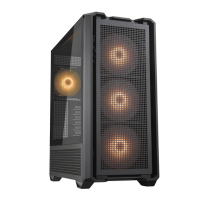
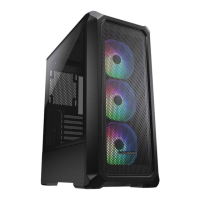
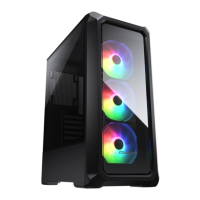
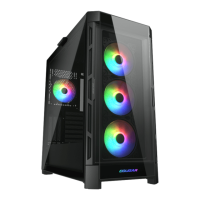
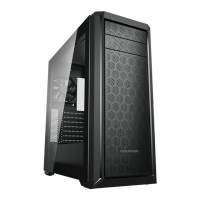
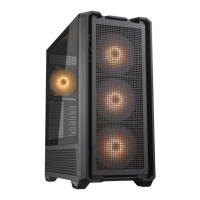
Identifies the product name.
Specifies the case form factor.
Lists supported motherboard types.
Provides the product's physical dimensions.
Details the front panel I/O connectors.
Specifies the number of 3.5" drive bays.
Specifies the number of 2.5" drive bays.
Details the number of expansion slots.
Confirms support for vertical GPU mounting.
Lists supported fan sizes and locations.
States the maximum fan capacity.
Details supported radiator sizes and locations.
Indicates if the left panel is transparent.
Confirms motherboard RGB synchronization support.
Specifies the maximum GPU length.
Specifies the maximum CPU cooler height.
Specifies the maximum PSU length.
Guides connection of Type C Gen 2 I/O cable.
Guides connection of USB 3.0 I/O cable.
Guides connection of HD Audio I/O cable.
Guides connection of Power Switch cable.
Guides connection of Power LED cable.
Guides connection of HDD LED cable.
Lists screws for 3.5" HDDs.
Lists screws for motherboards and 2.5" SSDs.
Lists screws for PSU and graphics cards.
Describes motherboard standoffs.
Describes standoffs for VGA riser cable.
Refers to standoff socket attachments.
Lists cable ties for management.
Lists adhesive cable clips.
Lists vertical GPU mounting brackets.
Lists step screws for 3.5" HDDs.
Details screws for motherboard and SSD mounting.
Explains standoff installation for VGA riser cable.
Explains the RGB switch button functionality.
Details ARGB connectors for lighting control.
Describes the ARGB adapter for motherboard connection.
Identifies the 4-pin PWM fan connector.
Identifies the main fan speed connector.
Identifies the sub fan speed connector.
Explains the first mode with 18 preset lighting effects.
Refers to the power cable for the lighting controller.
Refers to the power supply connection.
Explains the second mode for motherboard RGB synchronization.
Describes the default mode with 18 lighting effects.
Describes the mode for synchronizing with motherboard RGB.
Explains how to turn off the lighting effects.
Details the warranty periods for the devices.

 To Next Page
 General