7
Setting the Clock (24-hour format)
1) Press and hold [ TIME ] until the clock time starts flashing.
2) Use the numeric keys to enter the current time (hours + minutes is four
digits), or rotate the [ TUNING ] and [ VOLUME ] knobs to adjust the
time, and then press [ TIME ] to confirm the setting.
Setting the FM Frequency Range
With the device off, set the frequency range to correspond with the
country in which you are using the radio. Press and hold [ 1 ]. The display
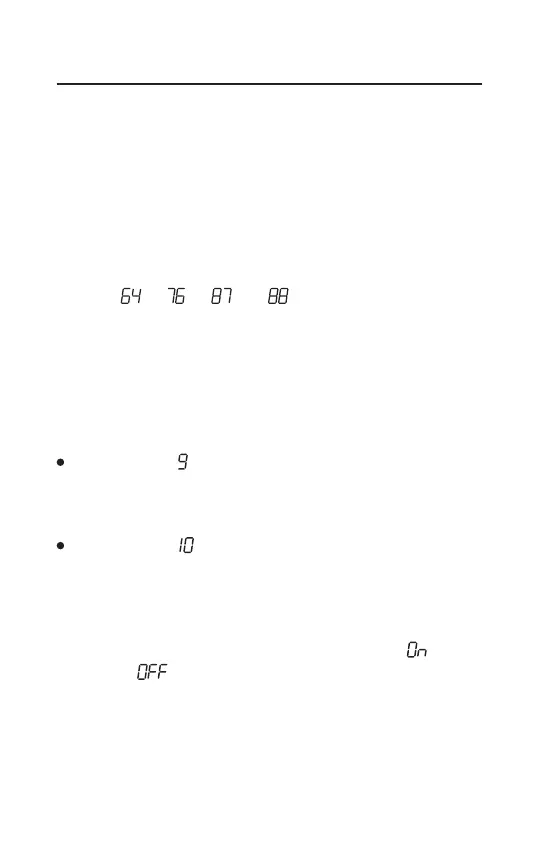
will show “ ”, “ ”, “ ” or “ ” to indicate the corresponding
range: 64 ~ 108MHz, 76 ~ 108MHz, 87 ~ 108MHz or 88 ~ 108MHz.
Quick press [ 1 ] repeatedly to select your preference.
Setting the MW (AM) Frequency Range and Tuning Step
With the device off, set the frequency range of MW (AM) to correspond
with the country in which you are using the radio. Press and hold [ 3 ] for
three seconds.
Display indicates “ ”: MW frequency steps are set at 9 kHz, and the
frequency range is 522~1620 kHz (suitable for Asia, Europe, Africa,
Oceania).
Display indicates “ ”: MW frequency steps are set at 10kHz, and the
frequency range is 520~1710 kHz (suitable for US / North America and
South America).
Enabling/Disabling Longwave (LW)
With the device off, press and hold [ 2 ], the display shows “ ”
(enabled) or “ ” (disabled). To select the LW frequency band, power
on the device and then quick press the [ MW/LW ] button twice.


 To Next Page