EasyManua.ls Logo

Covert Scouting Cameras AT&T Code Black LTE - User Manual

Covert Scouting Cameras AT&T Code Black LTE
30 pages
Print Icon
To Next Page IconTo Next Page
Loading...
Page1
2018 AT&T Code Black LTE
Covert Scouting Camera Instruction Manual
Watch the set-up video on our website at:
www.covertscoutingcameras.com
Question and Answer IconNeed help?

Do you have a question about the Covert Scouting Cameras AT&T Code Black LTE and is the answer not in the manual?

Summary

Camera Setup Requirements

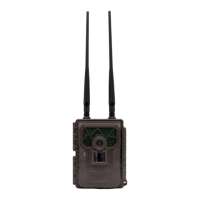
Camera Hardware Overview

Invisible IR Flash

Identifies the camera's infrared flash component.

Lens

Identifies the camera's primary lens.

Light Sensor

Identifies the ambient light sensor.

Power Switch

Identifies the camera's on/off power switch.

PIR Sensor

Identifies the Passive Infrared motion sensor.

Keyboard

Identifies the camera's input buttons or keypad.

HD Display Screen

Identifies the camera's high-definition display screen.

LTE Main Antenna

Identifies the primary cellular network antenna.

LTE Diversity Antenna

Identifies the secondary cellular antenna for signal improvement.

Battery Installation Guide

Mobile App Download and Setup

Accessing the Covert Wireless Web Portal

Purchasing Your AT&T Service Plan

SD Card Installation

Wireless Network Setup

Firmware Updates

Sending a Test Photo

Customizing Camera Settings

Trigger Mode Configuration

Setting Camera Operating Schedule

System Settings Configuration

SD Card Formatting

Auxiliary Power and Connectivity Options

Troubleshooting Common Error Messages

Troubleshooting Setup Menu Access

Field Setup Tips and Best Practices

Covert Scouting Cameras Limited Warranty

Warranty Claim Procedure

International Warranty Policy

Technical Specifications

Covert Scouting Cameras AT&T Code Black LTE Specifications

General IconGeneral
BrandCovert Scouting Cameras
ModelAT&T Code Black LTE
CategoryDigital Camera
LanguageEnglish