4
WhatYouW ill NeedtoSetUpYourCamera
InstallingtheBatteries
YourWC30canfunctionshorttermon6AAbatteries.Tofunctionon6batteries,onefullsideofthebatterycasemust
haveall6batteriesinstalled,eitherthefrontorbackofthecase.Improvedbatterylifeon8AA,butwesuggestyouuse
12AAbatteriestogetthemost
outofyourcamera’sbatterylife.
Toremovethebatterytray,openthefrontcaseofthecameraandpressthebuttoninthebottomrightcorner,andthe
batterycasewillpopoutthebottomofthecamera.
Installbatteriesbyslidingthetopbatteryintothesleeve,then
depressingthespringwiththeotherbatteryand
snappingdowninplace.Payattentiontothe(+)of(‐)moldedintoeachslee vetodetermineifyouinsertthepositiveor
negativeendintothesleevefirst.Thenegativebatteryte rminal(theflatend)alwayscontactsthespring.
InstallingtheSDCard
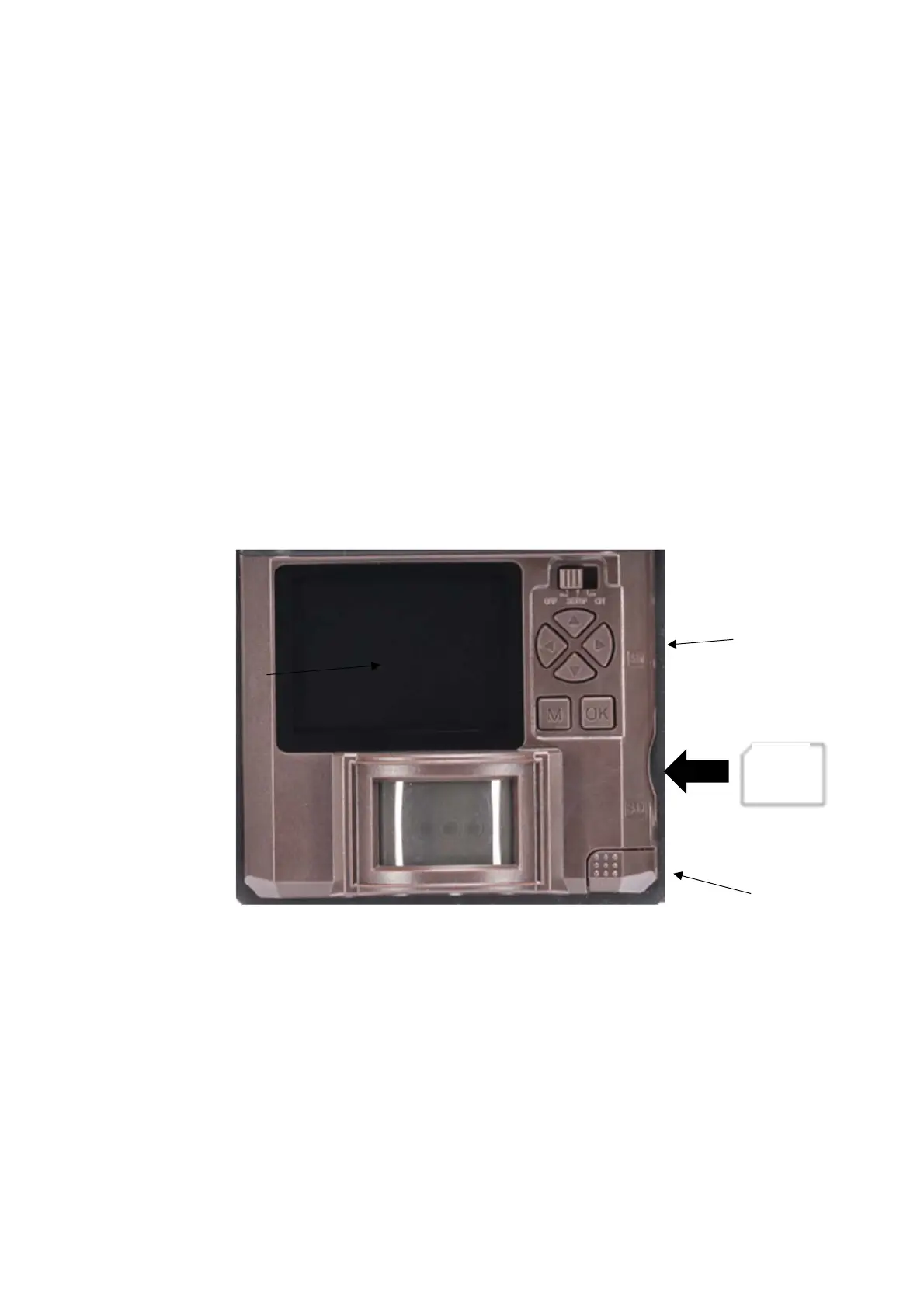
Nowthatyouhaveactivatedyourplan,youwillneedtoinstallanSDcardintherightsideofthecamera.We
recommendaCovertSDcard.OtherSDcardsmaywork,butalsouseanencryptionthatmaynotbecompatiblewith
yourcamera.Seebelowforcard orientation.
Pushthecardinuntilitclicksandrelease.Toremove,repeatthatprocess,
thecardwillpopoutenoughtoremove.YoucanuseanySDcardupto32GB.
CameraButtonControlDiagram
BatteryTrayEject
SD
Card
SIMCardSlot
ViewingScreen


 To Next Page