EasyManua.ls Logo

Coviden Nellcor Series - User Manual

Coviden Nellcor Series
112 pages
Print Icon
To Next Page IconTo Next Page
Loading...
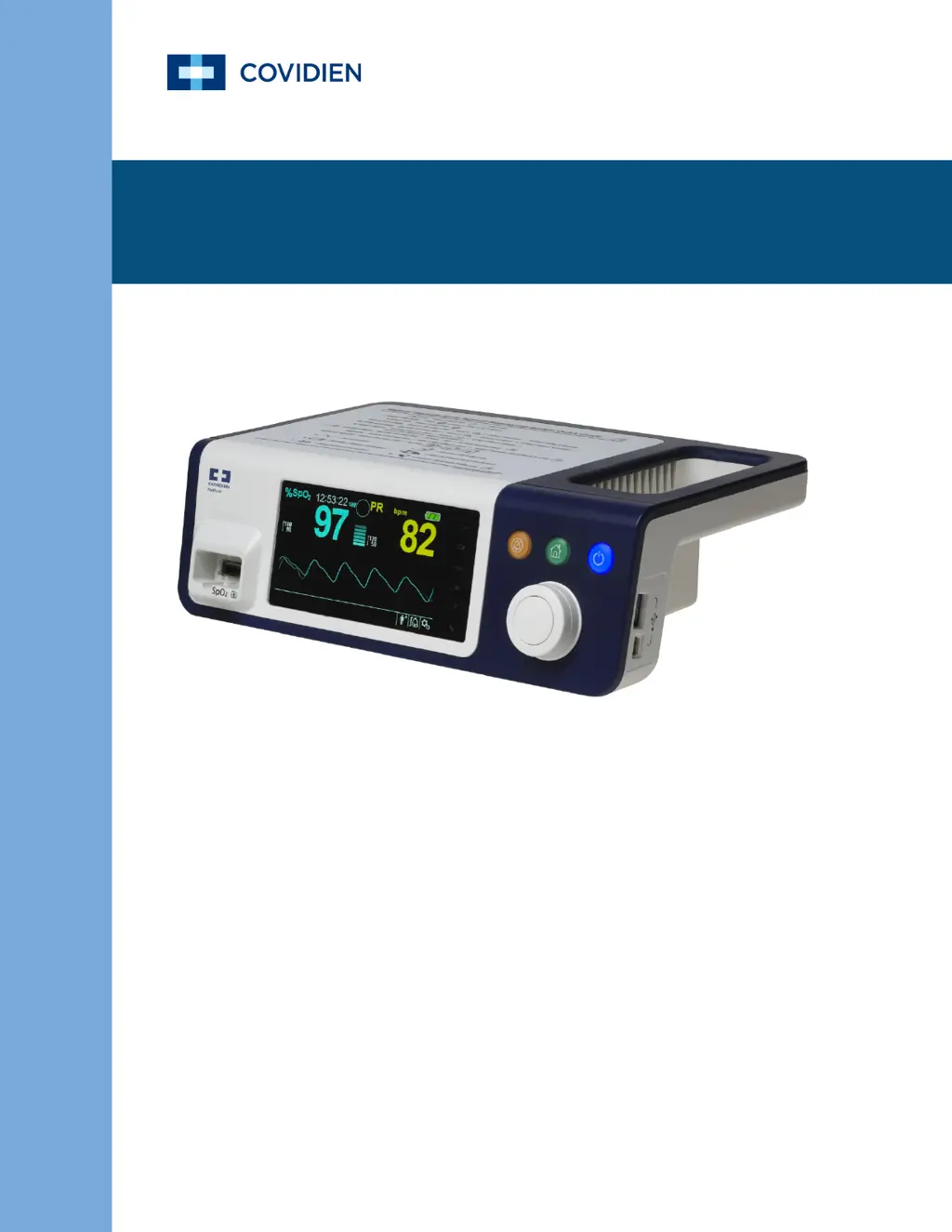
Operators Manual
Nellcor
Bedside SpO
2
Patient Monitoring System
TM

Table of Contents

Questions and Answers

  • L
    Luis TownsendAug 21, 2025
    Why is my Coviden Medical Equipment not responding to the Power On/Off button?
    • C
      Christine DennisAug 21, 2025
      If your Coviden Medical Equipment isn't responding when you press the Power On/Off button, make sure to press and hold the button for at least one second. Also, verify that the power cord is securely connected to the outlet and that the AC indicator light is blinking. Avoid sharing the same AC power source with other equipment to ensure sufficient power supply.
  • E
    Elizabeth MckayAug 23, 2025
    What to do if my Coviden Medical Equipment system is frozen?
    • M
      Michelle FrankAug 23, 2025
      If your Coviden Medical Equipment system freezes, it will generate a beep. To force quit the system, press and hold the power button for over 15 seconds.
  • R
    Rose HowardAug 26, 2025
    How to troubleshoot a blank screen on Coviden Medical Equipment?
    • U
      upearsonAug 26, 2025
      If your Coviden Medical Equipment shows a blank screen, first check if the buttons are lit. If not, press the Power On/Off button to turn the device on. Then, check whether the AC indicator light is on or blinking. To rule out power issues, try using the same AC power source with other equipment.
  • C
    Christopher RothAug 27, 2025
    What does 'Abnormally shut down last time' mean on Coviden Medical Equipment?
    • B
      Brandon KingAug 27, 2025
      If your Coviden Medical Equipment displays an 'Abnormally shut down last time' message, the system has reverted to default settings. You should check any temporary settings you had in place, such as alarm limits, response mode, and patient mode, as these will have been reset to either the factory or institutional default settings. To reset the system, press the Power On/Off button.
  • J
    jenny39Aug 30, 2025
    Why is my Coviden Medical Equipment using battery power even when plugged in?
    • B
      Brenda WrightAug 30, 2025
      To address the issue of your Coviden Medical Equipment consuming battery power even when connected to AC power, ensure that the power cord is properly connected to both the device and the wall socket. Check if the AC indicator light is lit or blinking. To verify the power source, try using the same AC power source with other equipment. If the problem persists, consider replacing the power cord.
  • B
    Brittany ConwaySep 1, 2025
    How to correct the date and time on Coviden Medical Equipment?
    • M
      Ms. Katherine HowardSep 1, 2025
      To fix incorrect date and time on your Coviden Medical Equipment, first, set the correct time in the Options Menu, ensuring the date setting format matches your locale. If the system continues to display the wrong date and time after a power reset, the internal battery for power backup is likely dead.
  • T
    Traci HamptonSep 3, 2025
    What to do for a low battery condition on Coviden Medical Equipment?
    • P
      Paul DawsonSep 3, 2025
      If your Coviden Medical Equipment indicates a low or critically low battery, connect the system to AC power and allow the internal battery to fully charge. Make sure the system's power cord is properly connected to the wall socket, and check if the AC indicator light is lighting up or blinking. To ensure the power source is working, try using the same AC power source with other equipment. Finally, check the battery's date of manufacture (DOM).
  • D
    Danny RichSep 6, 2025
    What to do if Coviden Medical Equipment is frozen at POST after power on?
    • J
      josejohnsonSep 6, 2025
      If your Coviden Medical Equipment is frozen at POST after powering on, try power cycling the device by pressing the Power On/Off button.
  • R
    Roberto TaylorSep 8, 2025
    Why is there no sound generation on my Coviden Medical Equipment?
    • A
      Ashley PerrySep 8, 2025
      If your Coviden Medical Equipment is not generating any sound, first verify that the volume is not set to 0 or 1. Then, check that the alarm setup is not set to alarm silenced.
  • M
    Mr. Mark MasonSep 12, 2025
    What to do if Coviden Medical Equipment gives questionable patient readouts?
    • S
      sheilaeverettSep 12, 2025
      To address questionable readouts, wrongly tagged, or missing patient data on your Coviden Medical Equipment, check the patient's condition. Replace the sensor or cable if necessary. Ensure all connections are secure and reposition them if needed. Remove any sources of electromagnetic interference and reduce excessive ambient light.

Summary

Introduction

Safety Information

Important safety information related to general use of the Nellcor bedside SpO2 patient monitoring system.

Warnings

Alerts users to potential serious outcomes (death, injury, or adverse events) to the patient, user, or environment.

Cautions

Identifies conditions or practices that could result in damage to the equipment or other property.

Installation

Safety Reminders

Important safety precautions to follow before and during the installation of the monitoring system.

Connecting a Nellcor Pulse Oximetry Sensor

Guidelines for connecting the Nellcor pulse oximetry sensor and interface cable to the monitoring system.

Operation

ALARM;LIMITS Menu

Details on adjusting SpO2 and pulse rate alarm thresholds and alarm inhibition.

Managing Alarms and Alarm Limits

Information on how the monitoring system detects and indicates alarm conditions.

Troubleshooting

General

General guidelines for troubleshooting issues with the Nellcor bedside SpO2 patient monitoring system.

Error Conditions

Lists common problems and their resolutions, including error codes displayed by the system.

Accessories

Theory of Operations

Product Specifications

Coviden Nellcor Series Specifications

General IconGeneral
Device TypePulse Oximeter
Parameters MeasuredSpO2, Pulse Rate
CategoryPatient Monitoring
ManufacturerMedtronic
DisplayLCD
Power SourceBattery/AC Adapter
AlarmsAudible and visual alarms for high/low SpO2 and pulse rate, sensor disconnect, and low battery
CompatibilityCompatible with Nellcor sensors
CertificationsCE, FDA

Related product manuals