EasyManua.ls Logo

Coway AIRMEGA Icon - User Manual

Coway AIRMEGA Icon
29 pages
Print Icon
To Next Page IconTo Next Page
Loading...
󾖴
󾖴󽗉󾖴󾖴󾖽󾖴
Question and Answer IconNeed help?

Do you have a question about the Coway AIRMEGA Icon and is the answer not in the manual?

Summary

Feature Highlights

Aesthetic Design

Highlights the premium interior design that makes the home look stylish.

Fabric Front Cover

Describes the front cover made of real fabric for a soft space.

Wireless Charging Feature

Details the convenient wireless charging function on the top plate.

PM2.5 Air Quality Display

Explains the display of ultrafine dust (PM2.5) for air quality checks.

Advanced Filtration System

Explains the advanced filtration capturing 99.999% of nano-sized particles.

Wi-Fi Connectivity Guide

Guides on connecting the air purifier to the Wi-Fi network via an app.

Quick Start Guide

Initial Product Setup

Step-by-step instructions for initial product setup and filter installation.

Checking the Product

Pre-filter Description

Describes the pre-filter's role in removing large dust particles, mold, hair, and pet hair.

Max2 Filter Description

Explains the Max2 filter's capture of VOCs, odors, and airborne particles.

Before Using the Product

Safety Symbol Explanations

Explains symbols like Danger, Warning, and Caution used in the manual.

General Product Safety

Provides crucial safety tips and warnings before using the product.

Power Connection Safety

Safety guidelines for connecting and handling the power cord and outlet.

Installation Environment Safety

Safety warnings related to installing the product near heat, moisture, or flammable substances.

Optimal Placement and Usage

Guidance on product placement and avoiding environments with smoke or direct sunlight.

Safe Operation Guidelines

Critical safety instructions during product operation, including handling malfunctions.

Child Safety and Handling

Precautions regarding children's interaction and handling of the air outlet and fan.

Wireless Charging Precautions

Detailed safety warnings and precautions for using the wireless charging feature.

Fabric Cover Maintenance

Instructions and warnings for cleaning and maintaining the fabric front cover.

Preparation

Product Parts Overview

Illustrates and identifies the exterior parts of the air purifier.

Exterior Components

Details the side and top views, labeling key external components.

Control Panel Layout

Identifies and labels buttons and indicators on the control panel (Icon model).

Control Panel Button Functions

Explains the specific function of each button and indicator on the control panel.

Installation

Physical Setup Instructions

Step-by-step instructions for physically setting up the air purifier.

Connecting Power and Powering On

Guides on plugging in the power cord and turning on the air purifier.

Connecting to Wi-Fi Network

Instructions for connecting the air purifier to a Wi-Fi network via Bluetooth and AP modes.

Operation

Manual Mode Operation

How to manually turn the product on and adjust fan speeds.

Operation Mode Selection

How to cycle through SMART, SLEEP, and ECO modes.

Smart Mode Details

Details how Smart Mode automatically adjusts fan speed based on air quality.

Sleep Mode Details

Explains the Sleep Mode's low fan speed for a quiet environment.

Eco Mode Details

Describes Eco Mode's automatic fan speed adjustment and energy saving features.

Particle Sensor Sensitivity Adjustment

Steps to adjust the air quality sensor's sensitivity level for accurate readings.

Air Quality Reading Guide

Explains the PM2.5 concentration levels and corresponding color indicators.

Maintenance

Cleaning the Pollution Sensor

Instructions on how to clean the air quality sensor lens and inlets.

Cleaning Air Outlet and Grille

Steps for removing and cleaning the detachable air outlet grille and air outlet.

Cleaning the Product Body

How to clean the back cover and main body of the air purifier.

Pre-filter Cleaning Steps

Detailed steps for removing, cleaning, and reinstalling the pre-filter.

Filter Replacement Overview

Information on filter replacement cycles and general replacement instructions.

Resetting Filter Notifications

How to reset the filter replacement notification after cleaning or replacing.

Max2 Filter Replacement Steps

Specific instructions for replacing the Max2 filter.

Appendix

Troubleshooting: Common Issues

Solutions for common problems like no air coming out or fan speed issues.

Troubleshooting: Errors and Defects

Guidance for troubleshooting specific error lights (E1, E2) and other functional defects.

Product Specifications

Summary

Feature Highlights

Aesthetic Design

Highlights the premium interior design that makes the home look stylish.

Fabric Front Cover

Describes the front cover made of real fabric for a soft space.

Wireless Charging Feature

Details the convenient wireless charging function on the top plate.

PM2.5 Air Quality Display

Explains the display of ultrafine dust (PM2.5) for air quality checks.

Advanced Filtration System

Explains the advanced filtration capturing 99.999% of nano-sized particles.

Wi-Fi Connectivity Guide

Guides on connecting the air purifier to the Wi-Fi network via an app.

Quick Start Guide

Initial Product Setup

Step-by-step instructions for initial product setup and filter installation.

Checking the Product

Pre-filter Description

Describes the pre-filter's role in removing large dust particles, mold, hair, and pet hair.

Max2 Filter Description

Explains the Max2 filter's capture of VOCs, odors, and airborne particles.

Before Using the Product

Safety Symbol Explanations

Explains symbols like Danger, Warning, and Caution used in the manual.

General Product Safety

Provides crucial safety tips and warnings before using the product.

Power Connection Safety

Safety guidelines for connecting and handling the power cord and outlet.

Installation Environment Safety

Safety warnings related to installing the product near heat, moisture, or flammable substances.

Optimal Placement and Usage

Guidance on product placement and avoiding environments with smoke or direct sunlight.

Safe Operation Guidelines

Critical safety instructions during product operation, including handling malfunctions.

Child Safety and Handling

Precautions regarding children's interaction and handling of the air outlet and fan.

Wireless Charging Precautions

Detailed safety warnings and precautions for using the wireless charging feature.

Fabric Cover Maintenance

Instructions and warnings for cleaning and maintaining the fabric front cover.

Preparation

Product Parts Overview

Illustrates and identifies the exterior parts of the air purifier.

Exterior Components

Details the side and top views, labeling key external components.

Control Panel Layout

Identifies and labels buttons and indicators on the control panel (Icon model).

Control Panel Button Functions

Explains the specific function of each button and indicator on the control panel.

Installation

Physical Setup Instructions

Step-by-step instructions for physically setting up the air purifier.

Connecting Power and Powering On

Guides on plugging in the power cord and turning on the air purifier.

Connecting to Wi-Fi Network

Instructions for connecting the air purifier to a Wi-Fi network via Bluetooth and AP modes.

Operation

Manual Mode Operation

How to manually turn the product on and adjust fan speeds.

Operation Mode Selection

How to cycle through SMART, SLEEP, and ECO modes.

Smart Mode Details

Details how Smart Mode automatically adjusts fan speed based on air quality.

Sleep Mode Details

Explains the Sleep Mode's low fan speed for a quiet environment.

Eco Mode Details

Describes Eco Mode's automatic fan speed adjustment and energy saving features.

Particle Sensor Sensitivity Adjustment

Steps to adjust the air quality sensor's sensitivity level for accurate readings.

Air Quality Reading Guide

Explains the PM2.5 concentration levels and corresponding color indicators.

Maintenance

Cleaning the Pollution Sensor

Instructions on how to clean the air quality sensor lens and inlets.

Cleaning Air Outlet and Grille

Steps for removing and cleaning the detachable air outlet grille and air outlet.

Cleaning the Product Body

How to clean the back cover and main body of the air purifier.

Pre-filter Cleaning Steps

Detailed steps for removing, cleaning, and reinstalling the pre-filter.

Filter Replacement Overview

Information on filter replacement cycles and general replacement instructions.

Resetting Filter Notifications

How to reset the filter replacement notification after cleaning or replacing.

Max2 Filter Replacement Steps

Specific instructions for replacing the Max2 filter.

Appendix

Troubleshooting: Common Issues

Solutions for common problems like no air coming out or fan speed issues.

Troubleshooting: Errors and Defects

Guidance for troubleshooting specific error lights (E1, E2) and other functional defects.

Product Specifications

Overview

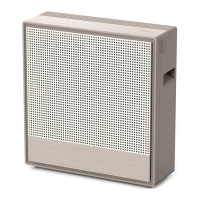
This document describes the Coway Airmega Icon/Icon S Air Purifier, a device designed to improve indoor air quality with a blend of sophisticated design and advanced filtration technology.

Function Description:

The Coway Airmega Icon/Icon S is an air purifier that effectively filters various harmful airborne particles, allergens, and contaminants. It utilizes a multi-stage filtration system, including a Pre-filter and a Max2 Filter, to capture dust, pollen, dander, viruses, bacteria, VOCs, and odors. The device also features an air quality indicator that displays the level of ultrafine dust (PM2.5), allowing users to monitor indoor air quality at a glance. Additionally, the Icon S model offers Wi-Fi connectivity for enhanced control and monitoring via an application.

Important Technical Specifications:

  • Model Name: Airmega Icon / Airmega Icon S
  • Coverage Area: 649 ft² (60 m²)
  • Filter System: Washable Pre-Filter + Max2 filter set (Activated Carbon + Green True HEPA™ filter). The Green True HEPA™ technology is designed to capture 99.999% of nano-sized particulate matter down to 0.01 micrometers.
  • Input Power: 120 V~ 60 Hz, 67 W (Air Cleaner 47 W)
  • Wireless Charging Output: 20 W
  • Weight: 19.2 lb (8.7 kg)
  • Dimensions (WxDxH): 22.3 x 8.8 x 21.4 inches (567 x 223 x 544 mm)
  • Air Quality Sensor: Detects PM2.5 concentration, with a display range up to 500 µg/㎡.
  • Connectivity (Icon S only): Wi-Fi for app-based control.

Usage Features:

  • Sensible and Sophisticated Design: Features a premium interior design with a luxurious front cover made of real fabric, minimizing contamination and creating a warm aesthetic.
  • Easy Wireless Charging: A fast wireless charging function is integrated into the top plate for convenient device charging. Users should ensure devices are placed correctly on the charging station and be aware of potential issues with metallic objects, thick cases, or tempered glass.
  • Manual Operation: Users can manually turn the product on/off and select fan speeds (Level 1, 2, 3) using the mode button.
  • Operation Modes:
    • SMART Mode: Automatically adjusts fan speed (1, 2, or 3) based on indoor air quality, suitable for most users.
    • SLEEP Mode: Minimizes fan speed for a quiet and pleasant environment.
    • ECO Mode: Adjusts fan speed (Level 1, 2, or 3) according to sensor-detected indoor air quality. If air quality remains clean for more than 10 minutes, the fan stops for up to 30 minutes, resuming if particles are continuously detected.
  • Adjustable Particle Sensor Sensitivity: The sensor's sensitivity can be adjusted (Sensitive, Normal, Insensitive) to fine-tune how the air purifier reacts to air quality levels. This is useful if the air quality level remains consistently high or low.
  • Timer Function (Icon only): Allows automatic shut-off after 1, 4, or 8 hours.
  • Light Button: Toggles the air quality and other indicators on and off.
  • Wi-Fi Connectivity (Icon S only): Connects to a Wi-Fi network for remote control and monitoring via the Coway iocare application. Pairing guides are available online.

Maintenance Features:

  • Pollution Sensor Cleaning: The air quality sensor's lens, dust inlet, and dust outlet should be cleaned regularly with a wet cotton swab, followed by a dry one. A soft brush or vacuum cleaner can be used for the air inlet and outlet. This prevents decreased performance and miscalculation.
  • Detachable Air Outlet and Grille Cleaning: The air outlet grille can be lifted and separated for cleaning with a soft brush or vacuum cleaner. Care should be taken to prevent dust from falling into the air outlet.
  • Back Cover and Product Body Cleaning: Can be cleaned with a dry cloth or soft brush. A slightly wet cloth can be used for higher contamination, but abrasives should be avoided.
  • Pre-filter Cleaning: The pre-filter should be cleaned every 2-4 weeks. It can be cleaned by removing dust with a vacuum cleaner or washing with water. It must be completely dry before reinstallation.
  • Max2 Filter Replacement: The Max2 filter should be replaced every 12 months. It cannot be washed or reused.
  • Filter Reset Button: After cleaning or replacing filters, the filter reset button should be pressed for more than 3 seconds to reset the filter replacement indicator.
  • User-Selected Filter Replacement Cycle Reset: Allows users to manually reset the filter replacement cycle if filters are changed before the notification appears.

Safety Information:

The manual emphasizes several safety precautions, including:

  • Always unplug the power cord before maintenance or moving the product.
  • Do not use damaged power plugs or loose outlets.
  • Ensure the power plug is connected to a grounded 120 V~ 60 Hz outlet.
  • Avoid pulling the power cord to move the product or touching it with wet hands.
  • Do not bend the power cord excessively or place heavy objects on it.
  • Do not install near electric heating devices, in highly humid/dusty areas, or where exposed to water splashes.
  • Maintain at least 20cm distance from walls and surrounding objects for proper air circulation.
  • Keep at least 2m away from electronic appliances like televisions.
  • Do not use in places with excessive odor, smoke, or grease (e.g., restaurants, barbecue areas).
  • Avoid direct sunlight.
  • Do not immerse the product in water or spray flammable substances into the air inlet.
  • Do not arbitrarily open, repair, or modify the product.
  • Do not place water, chemicals, food, small metals, or flammable substances on top of the product.
  • Do not insert fingers or foreign objects into the air outlet or discharge hole.
  • Supervise children to prevent them from playing with the product.
  • If any strange noise, smell, or smoke occurs, immediately unplug and contact the service center.

Coway AIRMEGA Icon Specifications

General IconGeneral
BrandCoway
ModelAIRMEGA Icon
CategoryAir Cleaner
LanguageEnglish

Related product manuals