ENGLISH 9
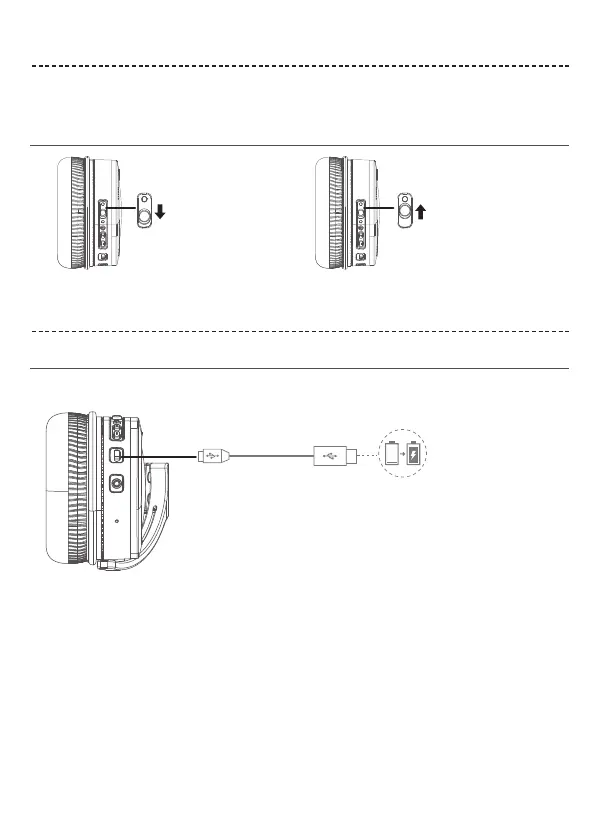
NOISE CANCELLATION
BATTERY CHARGING
Noise cancelling modes
Noise cancellation OFF
Charge the headphones
Charging time
Noise cancellation reduces unwanted noise providing a clearer, more lifelike audio performance. You can choose the noise cancelling
mode based on your listening preferences and environment.
Notes:
• While charging, the battery indicator red. When the battery is fully charged, the battery indicator off.
• The headphones do not work while charging.
Notes:
When only use Bluetooth without noise cancelling, a full charge powers the headphones for up to 20 hours.
When use Bluetooth with noise cancelling mode, a full charge powers the headphones for up to 10 hours.
Allow up to hours to fully charge the headphones.
1. Plug the small end of the USB cable into the micro-USB connector on the left earcup.
2. Plug the other end into a USB wall charger or computer that is powered on.
Noise cancellation ON


 To Next Page