Need help?
Do you have a question about the Cowon CK11 Pro and is the answer not in the manual?
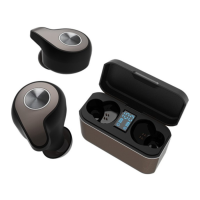
Lists the main earphone units included in the package.
Identifies the charging cradle for wireless charging.
Refers to the included quick start manual.
Details the different sizes of ear tips provided.
Shows the USB Type-C cable for charging.
Instructions to remove protective film from earphone charging terminals before charging.
Guidance on checking L/R marks and wearing earphones in the correct ears.
Describes how to twist and rotate eartips for a secure fit.
Identifies LED, multi-function buttons, microphones, and charging ports on earphones.
Shows USB ports, battery level indicators on the charging cradle.
Instructions for placing earphones into the charging cradle to initiate charging.
Explains LED colors (Red for charging, Blue for complete).
Illustrates the four levels of earphone battery charging indication.
Guide on connecting the USB cable to the cradle for charging.
Instructions for placing the cradle on a wireless charging pad.
Details on using the charging cradle to charge a smartphone.
Explains auto power on/off via cradle lid.
Instructions for manual power on/off using earphone buttons.
Step-by-step guide for pairing earphones with a device.
How to connect after initial pairing or to a new device.
Functions for play/pause, volume adjustment, and track skipping.
Controls for answering calls and activating voice assistants.
Lists status indicators and their corresponding voice prompts.
Details Bluetooth version, profiles, and playback times.
Covers battery capacity, charging times, and device weight.
Procedure for resetting earphones when they don't connect in dual mode.
Steps for deleting paired devices and initiating reset.
 General
| Type | In-ear |
|---|---|
| Driver | Dynamic |
| Driver Size | 10mm |
| Frequency Response | 20Hz - 20kHz |
| Cable Length | 1.2m |
| Connector | 3.5mm |
| Impedance | 16 ohms |

 To Next Page