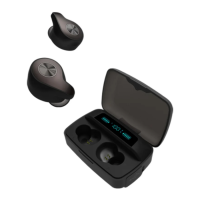
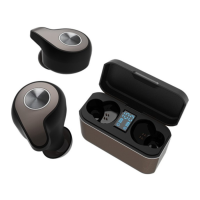
This document serves as a user guide for the COWON CK20 ANC, a pair of true wireless earphones with Active Noise Cancelling (ANC) functionality. The guide covers package components, wearing instructions, identification of parts and functions, charging procedures, power on/off methods, pairing and connection steps, and controls for music playback, calls, and volume.
Package Components:
The COWON CK20 ANC package includes the CK20 ANC earphones, a wireless charging cradle, a quick guide, various sizes of ear tips (XS, S, M, L, with M-size pre-installed), and a USB Type-C cable. Users are advised to remove the protective film from the earphone charging terminal before initial charging.
Wearing Instructions:
To ensure proper fit and sound quality, users should check the 'L' and 'R' marks on the earphones and place them in the correct ears. The earphones should then be twisted and rotated to fit snugly within the ears, ideally at a 45-degree angle.
Names of Parts and Functions:
Each earphone features a Multi-Function Button (L/R) and a Microphone (L/R). The Multi-Function Button on the left earphone controls power, calls, pairing, play/pause, volume down, previous track, and ANC on/off. The right earphone's Multi-Function Button controls power, calls, pairing, play/pause, volume up, next track, and ANC on/off. Both earphones also have an LED indicator and a charging port.
The charging cradle includes a Charging Cradle Battery Level display, Earphone Charging Status LEDs, a USB Type-A Port (Output) for charging other devices, and a USB Type-C Port (Input) for charging the cradle itself.
Charging Procedures:
- Charging the Earphones: Place the earphones into the charging cradle. They will begin charging automatically, indicated by a red LED on the earphones. Charging is complete when the LED turns blue. Users should ensure the earphones are properly positioned in the cradle's fixing groove.
- Charging the Cradle (Wired): Insert the USB Type-C cable into the cradle's USB-C port and connect it to a power adapter. The charging cradle battery level display will show the charge status from 0% to 100%. "Charging" indicates 0-99%, and "Charging Completed" indicates 100%. Regular charging of the cradle is recommended.
- Charging the Cradle (Wireless): The cradle can be charged wirelessly by placing it on a wireless charging pad. Users should check if the earphone LED is on to confirm charging. The wireless charging pad is not included with the product.
- Charging a Smartphone (Power Bank Function): The cradle can act as a power bank. Insert a USB cable into the cradle's USB Type-A output port and connect it to a smartphone. The cradle's battery level will decrease from 100% to 0% as it charges the smartphone. The cradle limits output current to 1.5A, and fast charging may not be possible if the cradle's battery level is too low.
Auto Power On/Off:
- Auto Power-on: Opening the lid of the charging cradle automatically turns on the earphones.
- Auto Power-off: Closing the lid of the charging cradle automatically turns off the earphones.
Manual Power On/Off:
- Manual Power On: Press the button on an earphone for 3 seconds when the power is off. The blue LED will flash three times.
- Manual Power Off: Press the button on an earphone for 3 seconds when the power is on. The red LED will flash three times.
Pairing & Connection:
- Open the cradle lid: This automatically turns on the earphones and prepares them for pairing.
- Turn on Bluetooth: Enable Bluetooth on your smartphone or Bluetooth-capable device.
- Connect: Select "CK20 ANC" from the list of detected devices to pair and connect automatically.
- Voice prompts will guide the user: "Power On" (blue LED flashes 3 times), "Pairing" (blue and red LEDs flash alternately), and "Connected" (blue LED flashes once).
- The CK20 ANC supports Dual Mode (stereo, both earphones) and Single Mode (mono, one earphone).
- In Single Mode, users can alternate between charging earphones for extended use, which is useful for audiobooks or podcasts, and allows awareness of environmental sounds.
- For Dual Mode, remove both earphones from the cradle. For Single Mode, remove only one.
- Putting one earphone back into the cradle while in Dual Mode does not disconnect the other.
- After initial pairing, opening the cradle lid will automatically connect to the most recently connected device.
- Keep the product and mobile phone within 1 meter during pairing.
- If a passkey is required, enter "0000".
Listening to Music - Making a Call - Volume Control:
- Multi-Function Button (x1 press):
- Dual Mode: The microphone of the earphone removed first is enabled. If both are removed simultaneously, the right earphone's microphone is enabled.
- Single Mode: Each earphone's microphone is enabled.
- Multi-Function Button (x2 presses):
- Left Earphone: Previous track.
- Right Earphone: Next track.
- (In Single Mode, only functions on the active earphone are available.)
- Multi-Function Button (x3 presses):
- Left Earphone: Volume Down.
- Right Earphone: Volume Up.
- (In Single Mode, only functions on the active earphone are available.)
- Multi-Function Button (press and hold 3 times): Launches the voice recognition feature (Google Assistant, Siri, Cortana). This feature is not available during calls or music playback.
- ANC (Active Noise Canceling) Function:
- Activate ANC (2-second press): Press the button for 2 seconds to activate ANC.
- Activate Transparency Mode (2-second press while ANC is on): Press the button for 2 seconds again. A beep sound will confirm activation.
- Deactivate ANC (2-second press in Transparency Mode): Press the button for 2 seconds to deactivate the ANC function.
Voice Prompts:
The device provides voice prompts for various statuses: "Power On," "Power Off," "Pairing," "Connected," "Incoming call" (user ringtone applied for iPhone), "Disconnected," "ANC ON," "ANC OFF," and "Battery Low."
Precautions - Resetting to Dual Mode:
This procedure is for troubleshooting when the left and right earphones are not connecting to each other or when they only connect in single mode during normal dual-mode operation.
- Delete connected device & Turn off Bluetooth: On your smartphone or other Bluetooth device, delete "CK20 ANC" from the list of paired devices and turn off Bluetooth.
- Remove earphones & Press the button twice: Remove both the left and right earphones from the cradle. Immediately press and release the buttons on both earphones twice simultaneously.
- Check for purple LED: The LEDs on both earphones will turn purple, indicating they are switching to pairing mode.
- Turn on Bluetooth: Enable Bluetooth on your smartphone or Bluetooth device.
- Connection: Select "CK20 ANC" from the detected devices to complete pairing and connect automatically. If the reset fails, repeat from Step 2.

 Need help?
 General

 To Next Page