Need help?
Do you have a question about the Cowon PLENUE D and is the answer not in the manual?
Provides the product-related website address and details on accessing information and user guides.
Outlines ownership of trademarks, copyrights, and compliance with relevant laws and regulations.
Details licensing and trademark information for BBE Sound, Inc. as applied to the product.
Essential safety guidelines for operating the PLENUE D, covering usage, environment, and potential hazards.
Lists and illustrates the items included in the PLENUE D package, such as the device, cable, and guides.
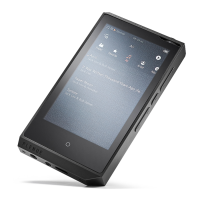
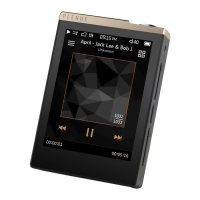
Identifies and explains the purpose of external buttons, ports, and the touch display on the PLENUE D.
Details the specific functions and press/hold actions for each button on the PLENUE D for various operations.
Instructions on connecting the PLENUE D to a power source via USB for charging and power management.
Steps for safely connecting the PLENUE D to a computer for data transfer and proper disconnection procedures.
Guidance on how to insert and remove microSD cards, including data protection precautions.
Detailed steps for downloading, transferring, and installing firmware updates to enhance product capabilities.
Explains the interface elements and controls visible during music playback on the PLENUE D.
Describes various ways to browse and select music files, such as by folder, artist, album, and genre.
Details available playback options like looping, shuffling, track skipping, and speed adjustments.
Customizing sound effects like EQ, BBE, and reverb for personalized audio experiences.
Configuring screen display options and setting timers for auto-off or sleep mode.
Adjusting music playback intervals, system locks, audio balance, and database management.
Detailed technical specifications of the PLENUE D, including memory, display, audio codecs, and file formats.
Addresses frequently encountered problems like power, sound, file visibility, and PC connectivity issues.
 General
| Type | MP3 player |
|---|---|
| Picture viewer | Yes |
| Playback modes | Fast forward, Fast reverse, Pause |
| Built-in camera | No |
| Product color | Black, Silver |
| Volume control | Rotary |
| Battery recharge time | 3.5 h |
| Continuous audio playback time | 100 h |
| Player media type | Flash memory |
| Total storage capacity | 32 GB |
| Compatible memory cards | MicroSD (TransFlash) |
| Display diagonal | 2.8 \ |
| Display resolution | 240 x 320 pixels |
| Minimum processor speed | 500 MHz |
| Windows operating systems supported | Windows 7 Enterprise, Windows 7 Home Basic, Windows 7 Home Basic x64, Windows 7 Home Premium, Windows 7 Home Premium x64, Windows 7 Professional, Windows 7 Professional x64, Windows 7 Starter, Windows 7 Starter x64, Windows 7 Ultimate, Windows 7 Ultimate x64, Windows 8, Windows 8 Enterprise, Windows 8 Enterprise x64, Windows 8 Pro, Windows 8 Pro x64, Windows 8 x64, Windows Vista Business, Windows Vista Business x64, Windows Vista Enterprise, Windows Vista Enterprise x64, Windows Vista Home Basic, Windows Vista Home Basic x64, Windows Vista Home Premium, Windows Vista Ultimate, Windows Vista Ultimate x64, Windows XP Home, Windows XP Professional, Windows XP Professional x64 |
| Built-in speaker(s) | - |
| Signal-to-Noise Ratio (SNR) | 123 dB |
| Headphone connectivity | 3.5 mm |
| Audio formats supported | AIFF, ALAC, APE, FLAC, MP3, OGG, WAV, WMA |
| Interface | USB 2.0 |
 Weight and Dimensions
| Depth | 14.9 mm |
|---|---|
| Width | 53.1 mm |
| Height | 77.2 mm |
| Weight | 94 g |

 To Next Page