Need help?
Do you have a question about the Cowon iAudio 7 and is the answer not in the manual?
Legal information about the product, trademarks, and software usage.
Instructions for registering the product online and obtaining support.
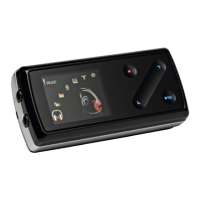
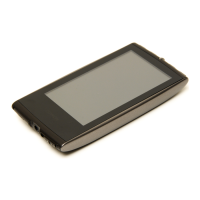
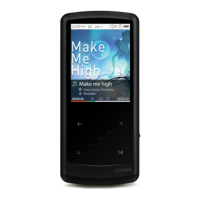
Overview of the iAUDIO 7's features, design, battery life, and media capabilities.
Lists and shows images of the items included in the product package.
Detailed list of the iAUDIO 7's technical features and specifications.
Identifies and labels all the external buttons, ports, and the display of the iAUDIO 7.
Explains the elements shown on the iAUDIO 7's display screen, including status icons and track information.
Step-by-step guide on how to charge the iAUDIO 7 using a PC USB connection.
Guide for installing the necessary hardware driver for Windows 98/98 SE.
How to connect the player to a PC and copy files, including safe disconnection procedures.
Information on how to enhance features and fix bugs by upgrading the device's firmware.
Explains how to turn the player on/off and use basic playback controls.
Details how to navigate and select different operating modes like Music, Video, and FM Radio.
Guide on how to browse and open files and folders using the player's interface.
Steps to access and modify various settings like JetEffect, Play Mode, and Display.
Describes how to use the pop-up menu for various modes like Music, Video, and Navigator.
Instructions on how to play audio and video files, including track navigation.
How to tune into FM radio stations and use the earphone as an antenna.
Guide on how to record audio using the built-in microphone or Line-In jack.
How to view image files on the iAUDIO 7, including thumbnail and single image views.
Instructions on how to transfer and read text files on the iAUDIO 7.
A table summarizing the function of each button in different modes.
Lists all available settings categories and their sub-options, like JetEffect, Play Mode, and Timer.
Explanation of various sound effects and equalizer settings available in JetEffect.
Configuration options for Boundary, Repeat, and Shuffle playback modes.
Options for customizing display language, titles, time, scrolling, and wallpaper.
Configuration for setting alarms, automatic power-off, and scheduled recordings.
Settings related to skip length, scan speed, resume playback, autoplay, and USB charging.
Options for Line-In, Voice, and FM radio recording quality and mode.
Options for selecting Stereo/Mono and using Auto Scan for FM radio.
Displays firmware version, total memory, and free memory space.
Procedures to reset the player to its original factory settings, including country selection.
Step-by-step guide to convert video files using the COWON MediaCenter - JetAudio software.
Solutions for the player not turning on or buttons not responding.
Troubleshooting steps for no sound, video not playing, or FM radio issues.
Advice on dealing with recording noise and corrupted display characters.
How to resolve problems with the computer not recognizing the player or JetShell errors.
Explanations for differing memory capacity and playback problems when memory is full.
 General
| Battery Life (Audio) | Up to 60 hours |
|---|---|
| USB | USB 2.0 |
| FM Radio | Yes |
| Frequency Response | 20 Hz - 20 kHz |
| Signal-to-Noise Ratio | 95dB |
| Resolution | 128 x 160 pixels |
| Storage Capacity | 4GB, 8GB, 16GB |
| Audio Formats Supported | MP3, WMA, OGG, FLAC, WAV |

 To Next Page