94
Temporarily Unlock
Parental Controls lets you open all locked channels for a short period of time. The Temporarily Off function, found under
Locking Status, opens all locks as long as the remote control is active. If the remote is inactive for five consecutive hours,
then all locks are automatically restored.
Lock Channels
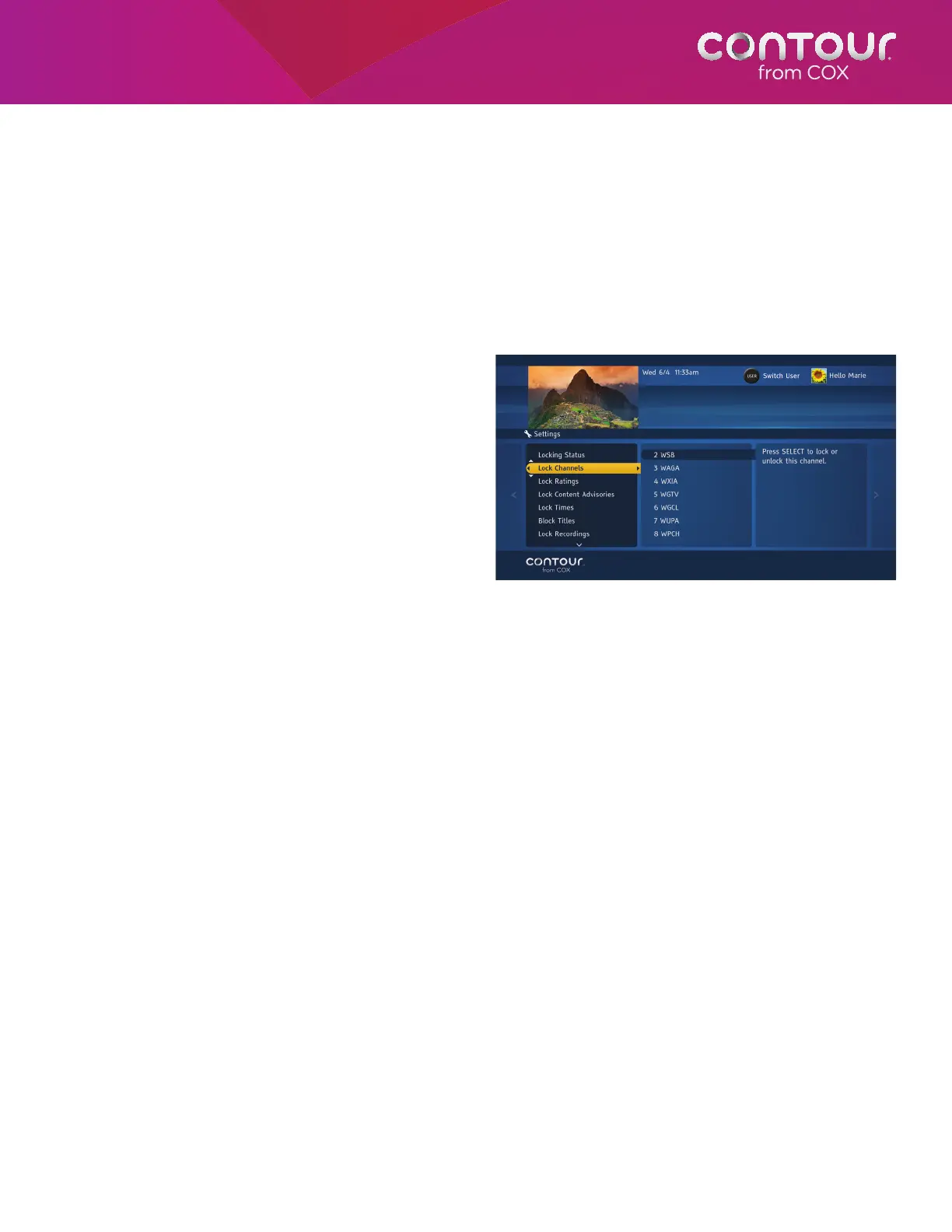
After turning on Parental Controls, you have a number of different ways to restrict access to Programming, including by
channel, by ratings, by content advisories and by time slot. Begin at the Parental Controls Menu in the card on the right.
1. Use the UP or DOWN arrow to highlight
Lock Channel. Press the RIGHT arrow or
SELECT to choose this option.
2. Use the UP and DOWN arrows to
highlight channels that you want to block.
Alternatively, you can simply enter the
channel number using the number (0-9)
keys. Press SELECT to lock that option.
3. Use the UP or DOWN arrow to select
additional ratings. Press SELECT to lock
each additional rating.
4. Press the LEFT arrow to return to the
Parental Controls Menu or press EXIT to
return to live television.
Rather than lock single channels, you can lock all
channels at one time and then selectively unlock
the channels you want.
1. Press the A button to lock all channels.
2. Use the UP or DOWN arrows to choose a channel to unlock.
3. Press SELECT to unlock each individual channel.
4. Press the LEFT arrow to return to the Parental Controls Menu or press EXIT to return to live television
If, at a later date, you want to unlock all channels, return to the Parental Controls Menu. Highlight Locking Status and
press SELECT. Use the arrow keys to highlight Off and then press SELECT.
Use the UP or DOWN arrow to highlight the
channel and press SELECT.



 To Next Page