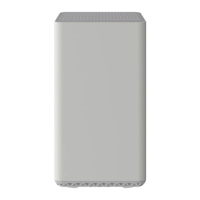
LED Light Status Problem
Power
Off No power. Verify all cable connections and reset the gateway.
Solid
White
None. The gateway is receiving power and functioning normally.
Solid
Red
The gateway is too warm and may overheat. Disconnect the power adapter and allow the
gateway to cool down for a few minutes. Once the gateway has cooled, ensure it is placed in
a vertical position and in a location with good ventilation before reconnecting the adapter.
Downstream
Off The downstream channel is inactive. Verify all cable connections and reset the gateway.
Solid
Amber
None. A connection from the computer to the internet is established on one channel.
Blinking
White
The gateway is scanning for downstream channel. Verify all cable connections and try
resetting the gateway if the LED indicator continues to blink.
Solid
White
None. A connection from the computer to the internet is established on more than one
channel.
Upstream
Off The upstream channel is inactive. Verify all cable connections and reset the gateway.
Solid
Amber
None. A connection from the internet to the computer is established on one channel.
Blinking
White
The gateway is scanning for an upstream channel. Verify all cable connections and try
resetting the gateway if the LED indicator continues to blink.
Solid
White
None. A connection from the internet to the computer is established on more than one
channel.
Internet
Off
The gateway is offline. Verify all cable connections and reset the gateway.
Solid
White
None. The gateway is online and operational.
Blinking
White
The gateway is synchronizing. Verify all cable connections and try resetting the modem if the
LED indicator continues to blink.
Ethernet
1 2 3 4
Off
A device is not connected to an Ethernet port on the back. Connect a device to the Ethernet
port on the back.
Solid
White
None. A device is connected to an Ethernet port.
2.4 GHz
radio
Off 2.4 GHz radio off.
Solid
White
None. 2.4 GHz radio on.
5 GHz radio
Off 5 GHz radio off.
Solid
Green
None. 5 GHz radio on.
USB
Off No USB device is connected.
Blinking
White
A USB device is plugged in and trying to connect.
Solid
White
A USB device is connected and ready.
WPS Button Blinking
None. Press this button to join the WiFi network without typing the WiFi password. The WPS
LED blinks during this process and then lights solid.
WiFi Button
Off
None. WiFi disabled. Press this button for two seconds to turn on the 2.4 GHz and 5 GHz
radios on.
On
None. WiFi enabled. Press this button for two seconds to turn off the 2.4 GHz and 5 GHz
radios off.
Manufacturer Resources
For more detailed technical information on the CAX30, refer to the following resources.
Netgear CAX30 Quick Start (PDF)
Netgear CAX30 Data Sheet(PDF)



 To Next Page