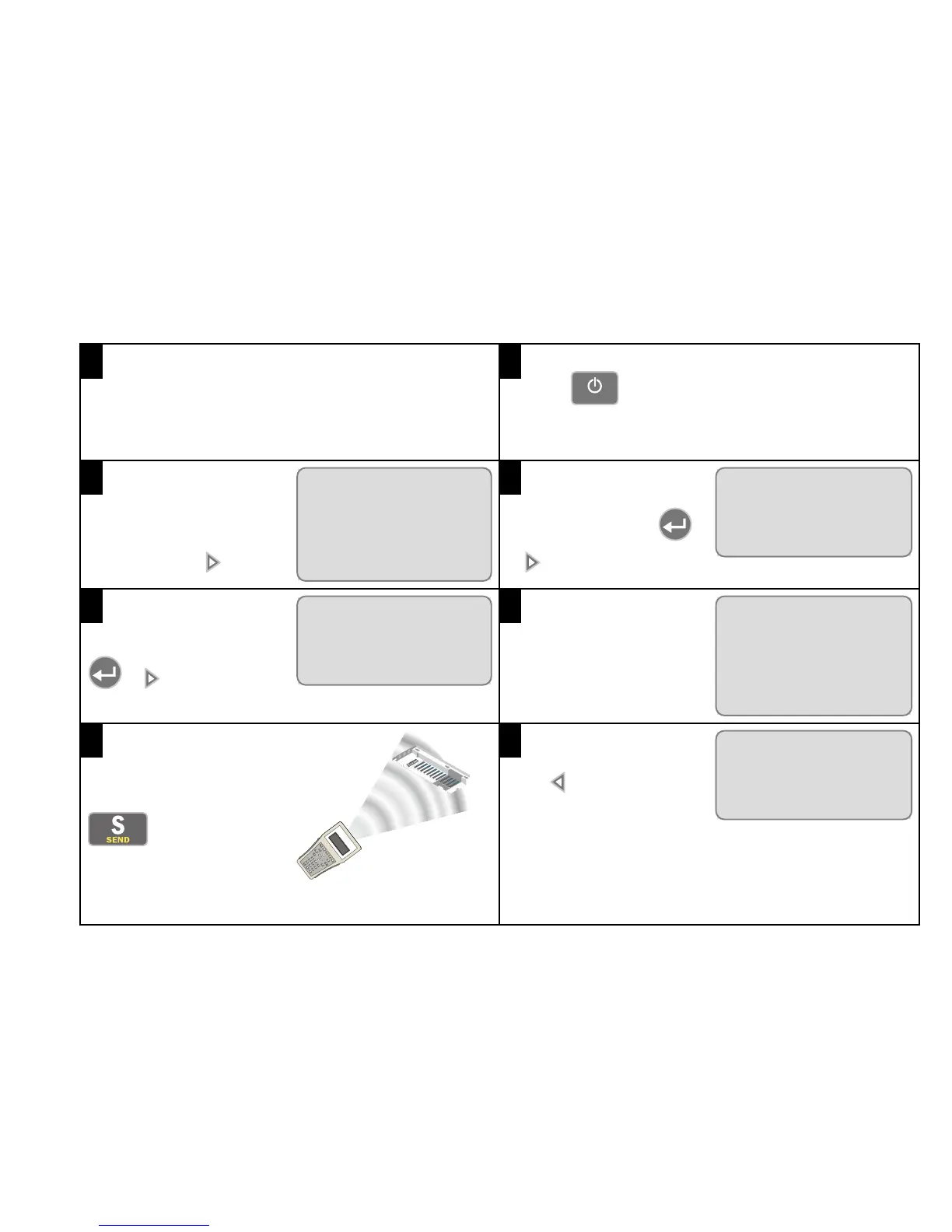
Use the following procedure with the UNLCDHS handset to get your Vitesse Plus installation up and running:
1
Connect the power to the LCM. It then goes through a
power-up sequence of 8 seconds, after which all
connected lights switch on.
2
Press
to turn on the programming handset.
3
Select Vitesse Plus from
the main PRODUCT FAMILY
menu and press .
PRODUCT FAMILY
Rapid >
à
Vitesse Plus
>
Handset Config >
4
Select LCM and press
or .
VITESSE PLUS
à
LCM
>
Detector >
Scene Panel >
5
Select Program and press
or .
LCM
à
Program
>
Lux Settings >
Device Info >
6
Select Preset and type in
the number of the preset.
PROGRAM
à
Preset 7
Load Type DALI
Detection
Mode
Pres
7
Point the handset directly at
the device and press
. An LED flashes
red/green to acknowledge
the command, then green till
the preset is programmed.
8
Press twice to return to
the Vitesse Plus menu.
VITESSE PLUS
à
LCM
>
Detector >
Scene Panel >



 To Next Page