
 Need help?
Do you have a question about the CP Plus CP-XR-DE21-S and is the answer not in the manual?
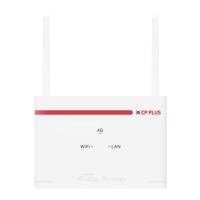
Overview of the 4G Router's physical design and components.
Explanation of the meaning and status of the device's LED indicators.
Recommended environmental conditions for optimal router performance.
Steps for installing the 4G SIM card into the device.
Procedure for connecting the power adapter and starting the router.
How to connect to the router for configuration.
Steps to access and log into the router's web configuration interface.
Configuration options for the Wi-Fi network, including security and status.
Procedure for manually searching and selecting a cellular network.
 General
| Brand | CP Plus |
|---|---|
| Model | CP-XR-DE21-S |
| Category | Network Router |
| Language | English |

 To Next Page