Need help?
Do you have a question about the CPI 0102324500rR and is the answer not in the manual?
Provides a brief overview of the CHPA series, its applications, and power capabilities.
Explains the manual's structure, content, and intended audience for CHPA installation and maintenance.
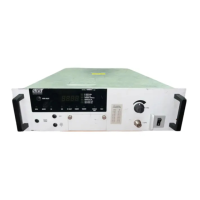
Details the CHPA's physical dimensions, weight, and major internal subsystems.
Provides a detailed breakdown of the CHPA's technical aspects, including RF subsystem.
Explains the Line Replaceable Unit (LRU) maintenance concept for field serviceability.
Lists and briefly describes optional features available for the CHPA.
Introduces site preparation, unpacking, and installation procedures for the CHPA.
Details the process of inspecting the equipment for shipping damage and reporting it.
Provides instructions for carefully unpacking the CHPA, saving packing materials, and verifying contents.
Outlines essential pre-installation checks including terminations, interface connectors, and prime power.
Describes the four phases of CHPA installation: mechanical, electrical, RF connections, and cooling.
Introduces the various interfaces available for connecting external devices to the CHPA.
Explains the priority and flow of control between different interface points.
Details the serial remote interface for control panel or computer communication.
Describes the interface for switch system controllers, status relays, and RF inhibit commands.
Explains the interface for connecting external safety interlocks and RF inhibit signals.
Covers the computer interface (CIF) for control and monitoring via RS-232/422/485.
Details the ASCII packet structure and commands for the CIF protocol.
Outlines the packet structure of the CIF protocol, including header, address, command, and data bytes.
Describes the format for commands sent to and responses received from the CHPA via CIF.
Lists and explains the different types of commands (Query, CHPA, Slow, Interface) for CHPA control.
Defines the meaning of various status bytes returned by query commands.
Explains the format of the ID/Version message returned by the CHPA.
Introduces procedures for first-time power-on, initial checkout, and serial port setup.
Lists essential checks before applying AC power, including voltage, grounding, and connections.
Describes how to use the front panel for initial power-on, checkout, and basic configuration.
Outlines the sequence for initial power-on, including self-tests and heater time delay countdown.
Explains how to check and set user-configurable operational parameters.
Details how to display and change fault and alarm trip point settings for safety and operation.
Describes how to configure serial port parameters for Remote and CIF interfaces.
Provides steps to verify the RF output level after initial setup.
Details how to verify the proper functioning of RF alarm and fault trip point settings.
Outlines the procedure for testing CHPA control and monitoring via a computer.
Covers testing of optional equipment like the remote control panel.
Introduces CHPA operation via control panel and computer interface.
Provides step-by-step instructions for essential CHPA operations like transmitting.
Details the procedure for safely shutting down the CHPA when transmission is complete.
Describes basic CHPA operation using front panel buttons for states, control, and RF modes.
Explains the different operating states and sequences of the CHPA.
Describes the initialization and POST process of the CHPA upon power-on.
Explains the HTD state, its purpose, and countdown timer.
Describes the Standby state, including heater voltage reduction for tube longevity.
Details the Transmit state, including beam on sequence and RF output display.
Explains the Fault state, Auto Fault Recycle mode, and fault handling.
Lists the CHPA control points (Local, Remote, Computer) and their hierarchy.
Describes the two RF control modes: ALC and Open Loop.
Explains how features are grouped into menu categories for user access.
Defines the hierarchical structure of categories, functions, and entries in the CHPA menus.
Describes how to return from menu categories to the meter display.
Explains Quick Access Codes for rapid access to CHPA features and functions.
Covers maintenance, performance testing, calibration, and troubleshooting procedures.
Outlines periodic maintenance tasks for safety, effectiveness, and logging.
Details mechanical inspection and cleaning tasks for the CHPA.
Describes visual inspection procedures for physical defects, LEDs, air filters, and cleaning.
Covers verification and adjustment of operating voltages and metering accuracy.
Provides procedures for conditioning spare TWTs and periodic amplifier operation.
Details tests for power, gain, gain response, and radiation levels at six-month intervals.
Provides steps to test the HPA's power and gain, recording results.
Introduces the chapter covering control keys, indicators, and display items on the HPA.
Details buttons, LEDs, beeper, and alphanumeric display for front panel interaction.
Covers meters, fault messages, alarms, and status screens for monitoring.
Explains menu navigation, data entry, RF control, and linearizer settings.
Covers RF trip limits, fault log, access codes, system settings, and interface parameters.
Details software versions, elapsed hours, quick access codes, POST faults, and error messages.
Introduces the L-Band RF input signal conversion by the Block Up-Converter (BUC).
Explains BUC operation, FLO references, and potential issues.


 To Next Page
 General