3
CPRGUARD IAN.COMCPR GUA RDIA N III
Introduction
1.1 Getting To Know Your Guardian III
Accessing The SIM Portal
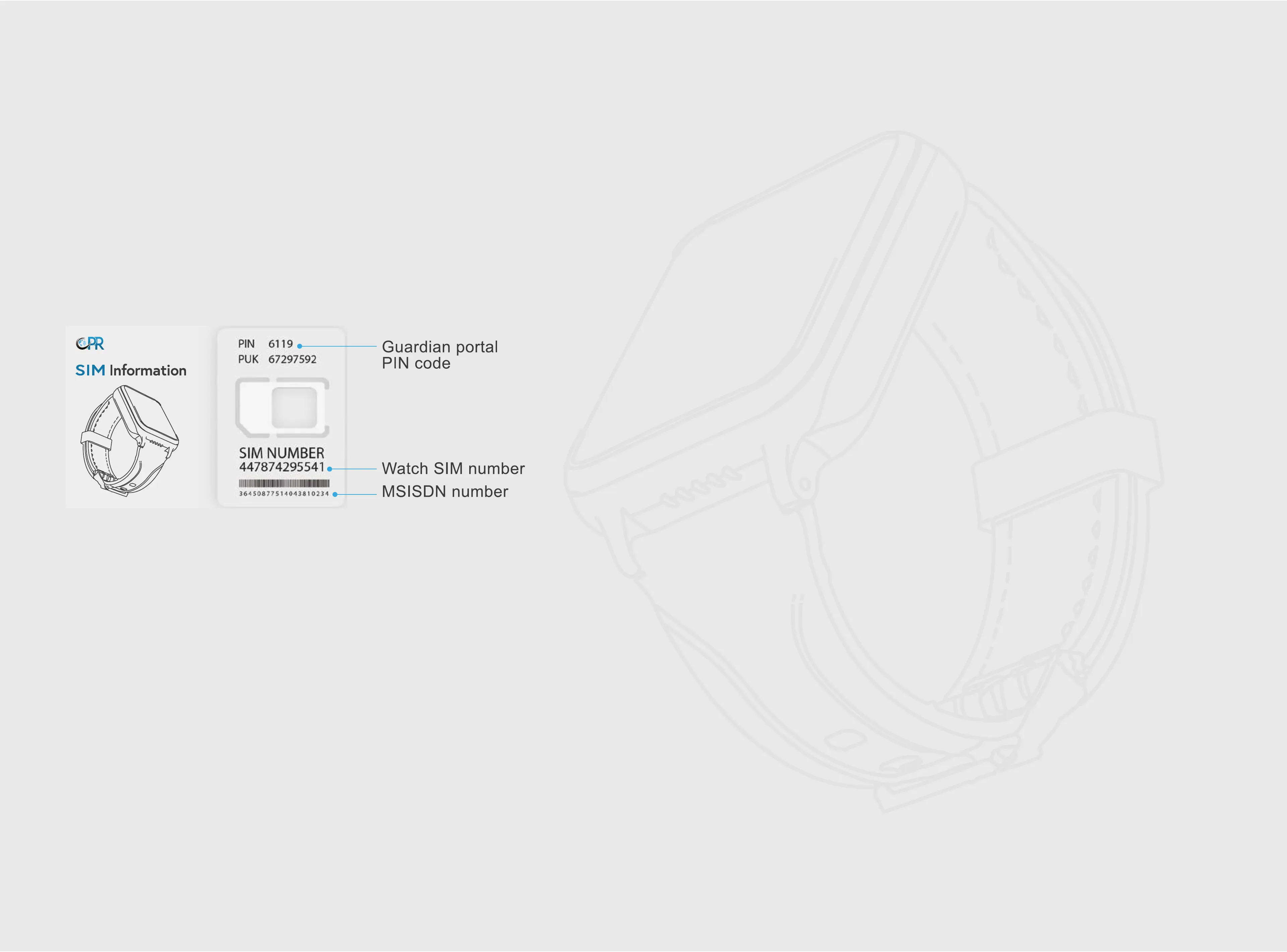
SIM Details
Use the SIM number and PIN printed on the SIM Information Card to
access the CPR SIM portal. If your sim number in not on the sim card
holder please check under the CPR Guardian watch box.
Box Contents
Step 1
To manage your SIM, please visit:
https://www.cprguardian.com/simlogin
Step 2
Sign into the portal using your SIM number
starting with ‘44’ followed by the PIN Code.
Step 3
When you login, sign up as a new user and then
select your SIM plan.
• 1X Guardian III Watch Phone
• 1X USB Cable
• 1X SIM card (already inside the watch)
• 1X SIM Information Card
• 1X Quick Start Guide
Battery Care & Charging
To protect and optimize your battery performance. We
recommend you charge the watch for at least 12 Hours for
the 1st charge and over 8 Hours for the 2nd and 3rd charge.
Always use the USB cable provided and a CE approved USB
charger plug to avoid irreparable damage. v
Please align the magnetic charging cable connector to the 4
pin metal contacts on the watch backplate, and make sure it
is properly connected (the magnetic charging cable will not
charge if it’s reversed). When the watch starts to charge, the
charging icon will appear on the watch display screen.


 To Next Page