8
CPRGUARD IAN.COMCPR GUA RDIA N III
Set Up & Getting Started
1.2 Syncing Your Watch With The App
13
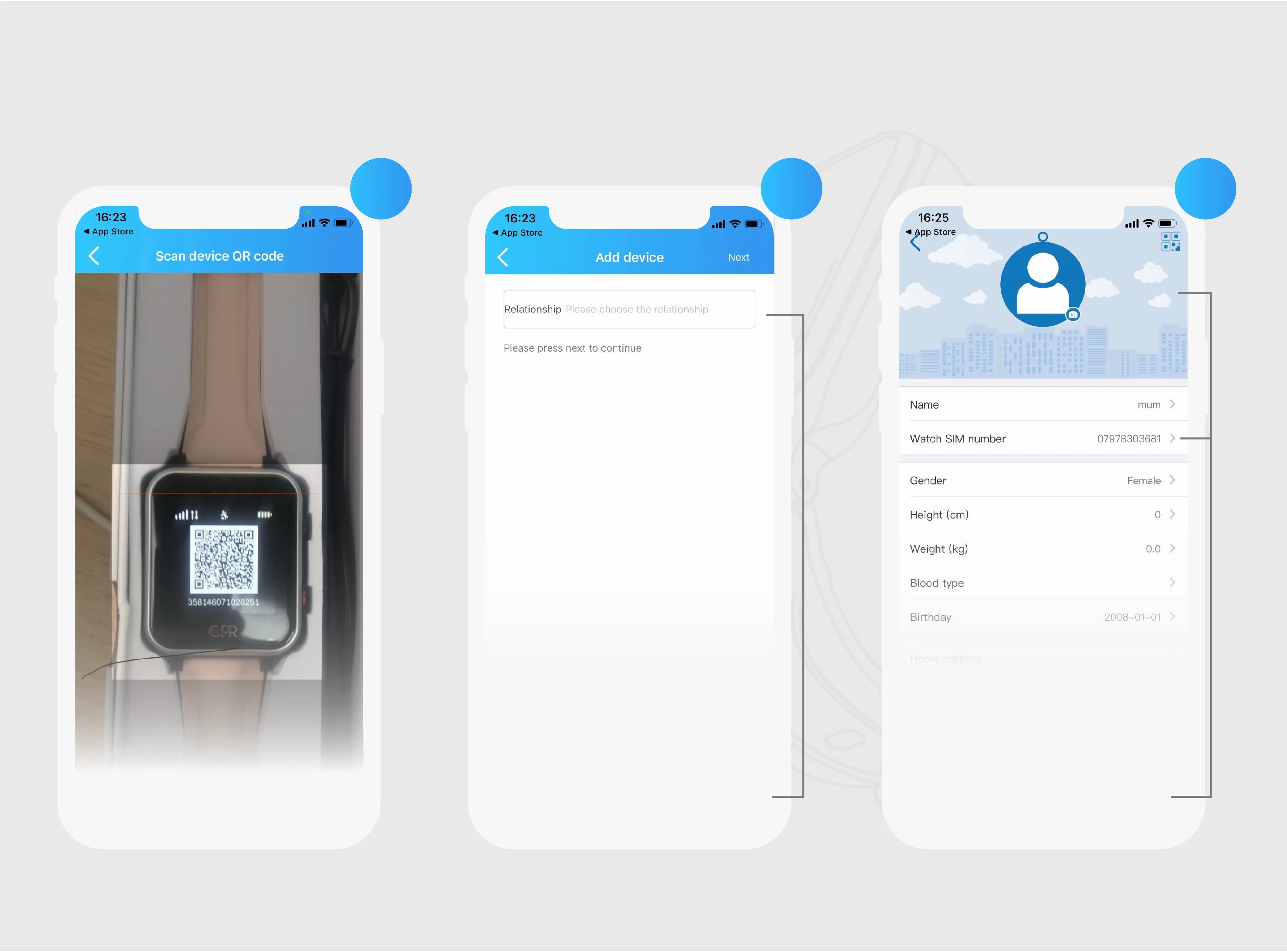
To reveal your watch’s QR Code,
swipe up on the watch face.
14
Once scanned proceed by
adding your relationship
to the wearer
15
Enter the watch user’s details,
ensuring that the watch SIM
number begins with ‘0’
Note: It can take up to 10 minutes for the QR code
number to display after the watch has been turned on


 To Next Page