RECOVER MODE (CONT’D)
7. TANK FILL LIMIT REACHED (OR EXCEEDED)
While recovering refrigerant, be ready to turn OFF recovery machine
and/or CLOSE valves, while constantly monitoring the display so
that the tank will NOT be overfilled. Characters will flash if tank
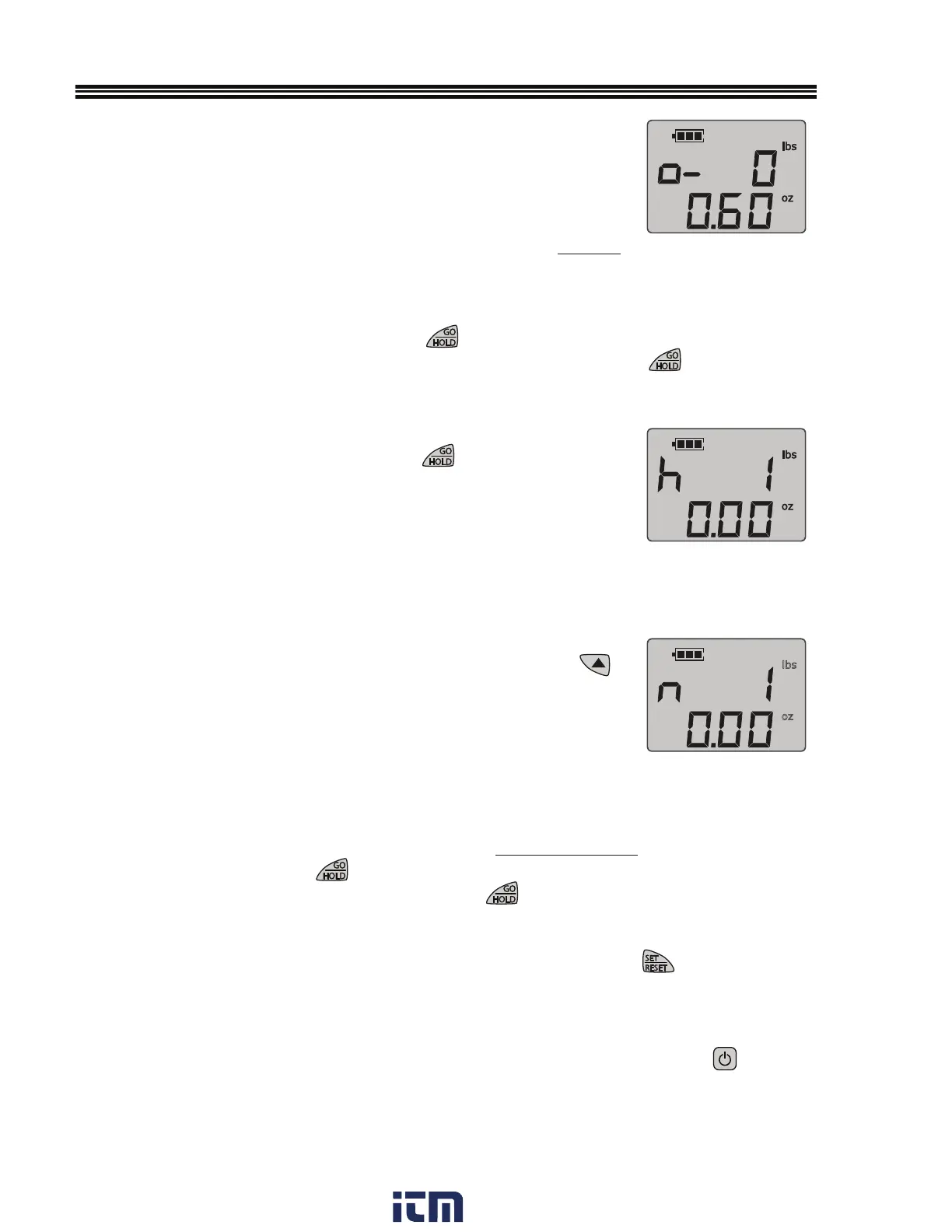
overfill has occurred and a “negative” symbol will appear next to
the “o” symbol, (Figure R-9) indica
ting the tank has been overfilled
by the amount indicated on the display.
7.1 If characters flash, the user may press
once to stop the flashing. Turn OFF recovery
machine and/or CLOSE valves. The user may change tanks then press
again to
restart recovery tracking.
8. HOLD FUNCTION
At any point during recovery, pressing
will activate the HOLD
function. During HOLD indicated by “h” (Figure R-10), the remaining
tank capacity will update if the weight is changed, but the net gain
will not account for any additional recovery during hold.
NOTE: Remember to physically stop recovering refrigerant by
closing tank and/or manifold valves while activating HOLD.
9. NET GAIN
At any point during refrigerant recovery, pressing and holding
will sho
w the net gain indicated by “n” (Figure R-11) The recovery
feature will track the net gain during the recovery session (except
during Hold), including even after overfill is reached, so that the
exact total net gain will be known.
10 IF RECOVERING REFRIGERANT INTO MORE THAN ONE TANK
If recovering refrigerant into more than one tank, of the same capacity, without
reaching overfill, press
during recovery, turn off recovery machine and
close valves. Then change the tank, then press
again to restart recovery tracking.
10.1 The NET Gain will continue to track the recovery of this session, until
is pressed.
11.SHUT DOWN - When RECOVER function complete, close valves, turn OFF recovery
machine (follow manufacturer’s instructions) and remove tank from scale. Press
until display turns off.
Fig. R-10
lbs
oz
Fig. R-11
(Example Weight Shown)
7
Fig. R-9
(Example Weight Shown)
w ww. . com
information@itm.com1.800.561.8187


 To Next Page