THEORY OF OPERATION
OTHER FUNCTIONS
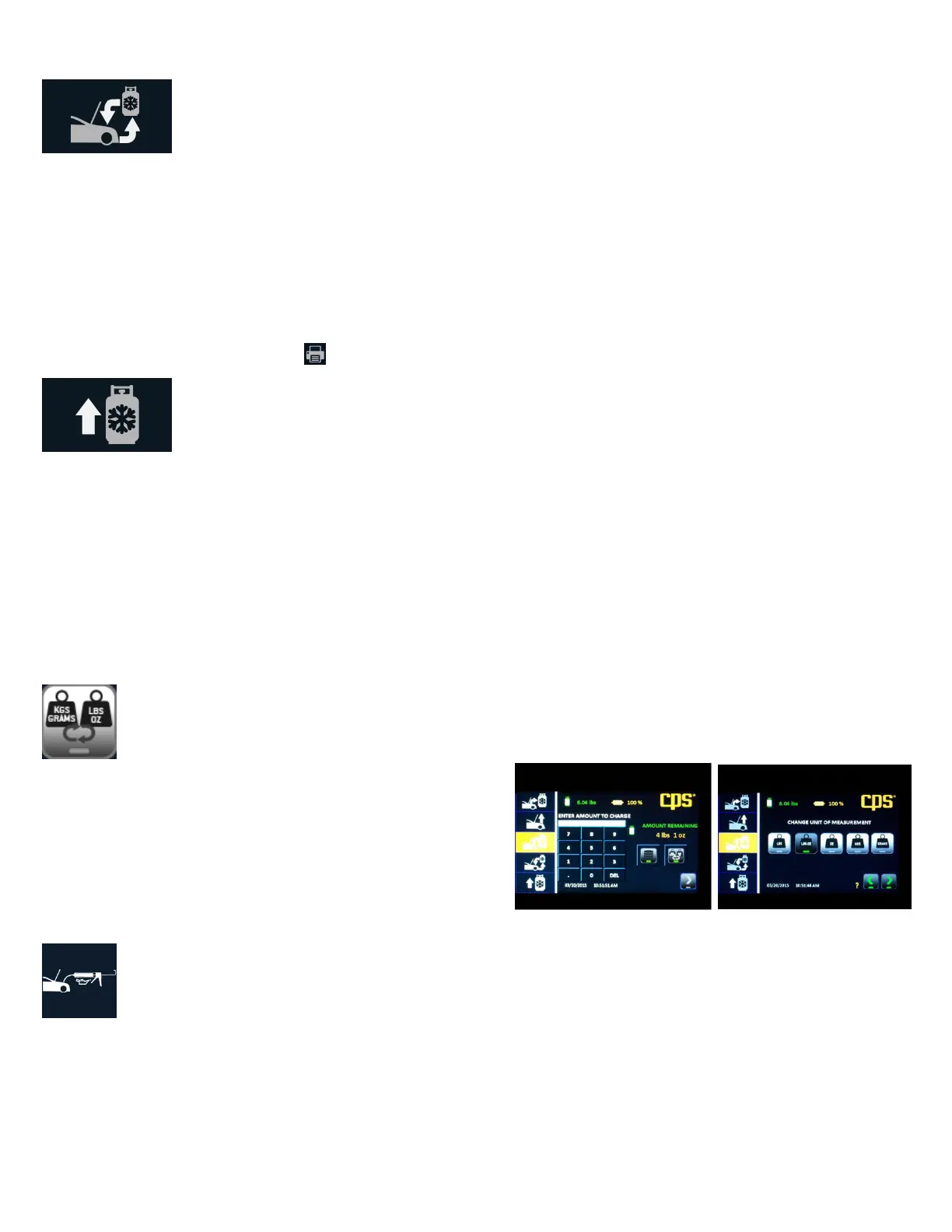
Change Units
This function will be displayed when setting the charge amount. It allows
you to change from the default unit of measure to that on the J639 tag on
the vehicle. For instance, if the machine default was set to lbs:oz and the
vehicle tag provides refrigerant capacity in grams use this feature to
change the unit of measure to grams for this charge only.
Add Oil
This icon appears the end of the charge operation and is a reminder to add back the amount of oil that was removed during recovery. If you
had entered the amount of oil after charging, that amount will also appear with the icon. If not, check the oil discharge bottle to determine the
change in volume since the last recovery. Add this amount back to the system.
8
Full Cycle
Select “Full Cycle” to recover, recycle, vacuum, leak check (if desired) and charge the vehicle AC system. The display will prompt you to
enter a vacuum time and a vehicle charge amount. As described in the “Charge” sequence, the database may be used to retrieve the charge
amount for most vehicles sold in North America.
Once Full Cycle has been selected and started, the machine will proceed with the recovery process described above. At the end of recovery,
the unit will automatically proceed to vacuuming and leak test (if the vacuum time selected was greater than 10 minutes.) Once vacuuming
is complete, the desired charge amount will be installed in the vehicle. The unit will then ask if you want to enter the Car Health mode. Do so
if you want to check/print system pressures and vent temperature. If you choose no to Car Health, the machine will guide you through the
process to move the refrigerant contained in the hoses into the vehicle’s AC system.
The user may print the results by pressing on the “Home” screen.
Tank Refill
Select “Tank Refill” to add refrigerant to the internal storage tank. It is suggested that at least 4.5 lbs or 2 kg of refrigerant be available in
the storage tank prior to beginning any operation. If the tank contains less than this amount, choose this operation to add refrigerant to the
internal tank. This operation transfers refrigerant in the liquid state to the internal storage tank. The Refrigerant amount transferred in this
mode is not counted toward the filter life.
Start by connecting the red hose to the liquid port on the supply cylinder using the supplied adapter. For virgin cylinders with one port, turn
the tank upside down once connected and open the tank valve and coupler.
Follow the directions on the display until the process is completed.



 To Next Page
 Loading...