Switch the unit ON for the first time:
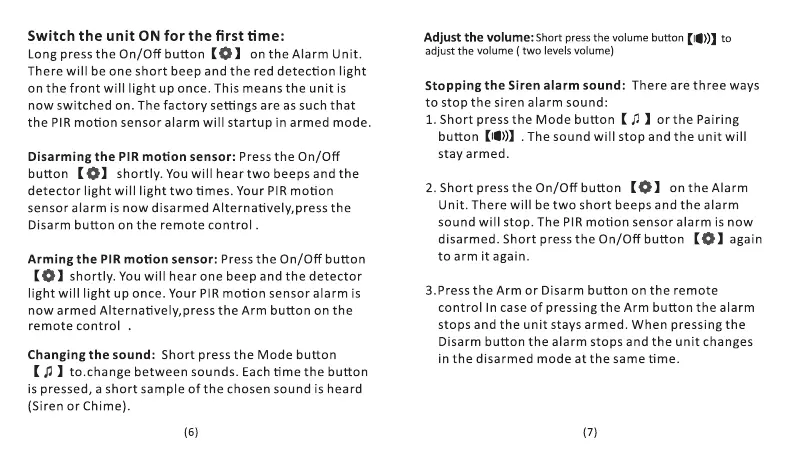
Long press the On/Off button on the Alarm Unit.
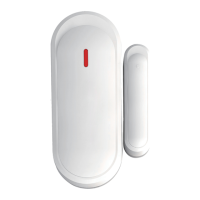
There will be one short beep and the red detection light
on the front will light up once. This means the unit is
now switched on. The factory settings are as such that
the PIR motion sensor alarm will startup in armed mode.
Disarming the PIR motion sensor: Press the On/Off
button shortly. You will hear two beeps and the
detector light will light two times. Your PIR motion
sensor alarm is now disarmed Alternatively,press the
Disarm button on the remote control .
Arming the PIR motion sensor: Press the On/Off button
Shortly. You will hear one beep and the detector
light will light up once. Your PIR motion sensor alarm is
now armed Alternatively,press the Arm button on the
remote control
Changing the sound: Short press the Mode button
I to.change between sounds. Each time the button
is pressed, a short sample of the chosen sound is heard
(Siren or Chime).
Adjust the volume: ShortpressthevolumebuttonKI'))) to
adjust the volume (two levels volume)
Stopping the Siren alarm sound: There are three ways
to stop the siren alarm sound:
1. Short press the Mode button orthe Pairing
button (10)) . The sound will stop and the unit will
stay armed.
2. Short press the On/Off button on the Alarm
Unit. There will be two short beeps and the alarm
sound will stop. The PIR motion sensor alarm is now
disarmed. Short press the On/Off button again
to arm it again.
3.Press the Arm or Disarm button on the remote
control In case of pressing the Arm button the alarm
stops and the unit stays armed. When pressing the
Disarm button the alarm stops and the unit changes
in the disarmed mode at the same time.


 To Next Page
 Loading...