Switching the unit OFF: Long press the On/Off button
on the Alarm Unit. There will be one long beep
and the red detection light on the front will light up
once.
Pairing with remote control and sensors
Pairing with remote control
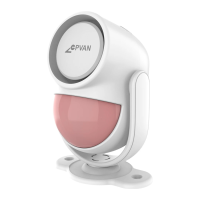
Your PIR motion sensor alarm is already paired with the
supplied remote control. Pairing additional remotes is
easy. In general, the pairing mode is activated on the
PIR motion sensor. Then, activate (trigger) the detector
to allow the PIR motion sensor alarm to recognize the
signal. At this stage, multiple remotes can be added by
activating them one by one. They will be paired with the
PIR motion sensor alarm immediately and
automatically. Each PIR motion sensor alarm can be
paired with 5 or more remote controls and each remote
control can control multiple PIR motion sensors
simultaneously. This means that each member Of your
family or team can switch the system on or Off when
they require it. Your home will never be unprotected.
Follow the steps below to add a remote control:
Make sure the PIR motion sensor alarm is ON
On the PIR motion sensor alarm, long press the
Pairing button (10)) to enter pairing mode. The
detector light will light up continuously.
Press any button on your remote control. You will
hear two beeps to indicate correct pairing
Short pressthe Pairing button (10)) to exit the
pairing mode. Your remote has now been paired.
Multiple remotes can be connected to any PIR motion
sensor. Also, the remote control can be linked to
multiple PIR motion sensor alarm using the method
described.
Pairing with CPVANAlarm System sensors
Extend your PIR motion sensor alarm with additional
sensors. Your PIR motion sensor alarm can wirelessly
be connected with additional sensors from the CPVAN
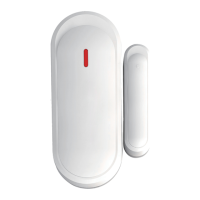
Home Alarm System. The system features window &
door sensors and additional PIR Motion Sensors.
Triggering any sensor will cause your PIR motion sensor
alarm to sound either a Siren or a Chime.


 To Next Page
 Loading...