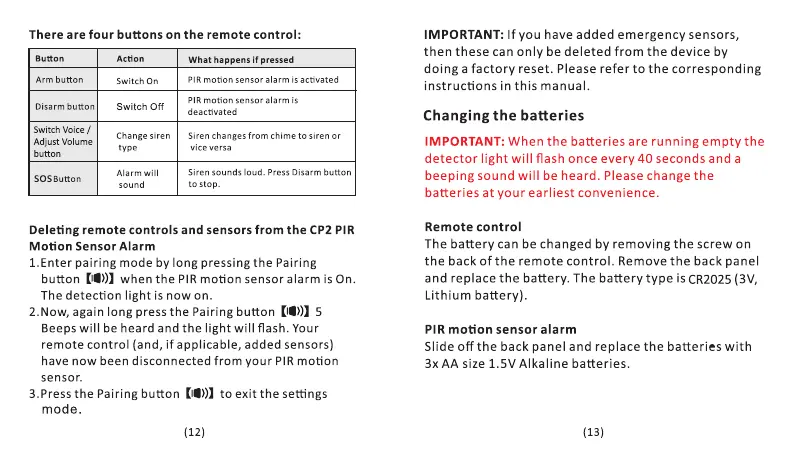
There are four buttons on the remote control:
Button
Arm button
Disarm button
Switch Voice /
Adjust Volume
button
SOSButton
Action
Switch On
Switch Off
Change siren
type
Alarm will
sound
What happens if pressed
PIR motion sensor alarm is activated
PIR motion sensor alarm is
deactivated
Siren changes from chime to siren or
vice versa
Siren sounds loud. Press Disarm button
to stop.
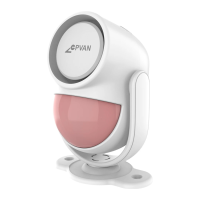
Deleting remote controls and sensors from the CP2 PIR
Motion Sensor Alarm
1. Enter pairing mode by long pressing the Pairing
button (10)) when the PIR motion sensor alarm is On.
The detection light is now on.
2.Now, again long press the Pairing button (10)) 5
Beeps will be heard and the light will flash. Your
remote control (and, if applicable, added sensors)
have now been disconnected from your PIR motion
sensor.
3.Press the Pairing button to exit the settings
mode.
(12)
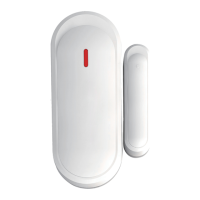
IMPORTANT: If you have added emergency sensors,
then these can only be deleted from the device by
doing a factory reset. Please refer to the corresponding
instructions in this manual.
Changing the batteries
IMPORTANT: When the batteries are running empty the
detector light will flash once every 40 seconds and a
beeping sound will be heard. Please change the
batteries at your earliest convenience.
Remote control
The battery can be changed by removing the screw on
the back of the remote control. Remove the back panel
and replace the battery. The battery type is CR2025 (3V,
Lithium battery).
PIR motion sensor alarm
Slide off the back panel and replace the batteries with
3x AA size 1.5V Alkaline batteries.
(13)


 To Next Page
 Loading...