CRADLEPOINT CBA750B | USER MANUAL Firmware version 5.0
© 2013 CRADLEPOINT, INC. PLEASE VISIT HTTP://KNOWLEDGEBASE.CRADLEPOINT.COM/ FOR MORE HELP AND RESOURCES PAGE 104
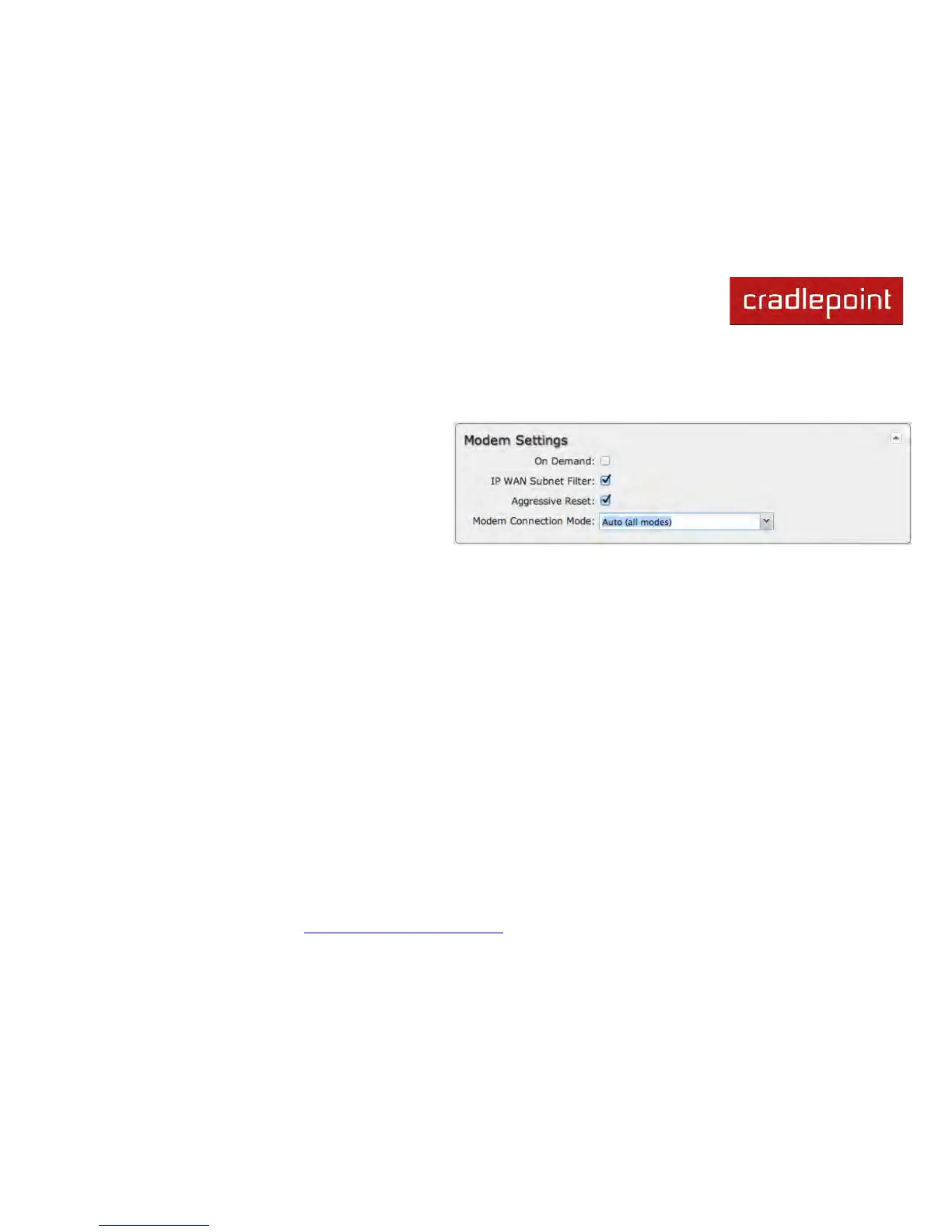
7.1.6 Modem Settings
Not all modems will have all of the options shown below; the available options are specific to the modem type.
On Demand: Typically modem connections are not
always on. When this mode is selected a connection to
the Internet is made as needed. When this mode is not
selected a connection to the Internet is always
maintained.
IP WAN Subnet Filter: This feature will filter out any
packets going to the modem that do not match the
network (address and netmask).
Aggressive Reset: When Aggressive Reset is enabled the system will attempt to maintain a good modem connection. If
the Internet has been unreachable for a period of time, a reset of the modem will occur in attempt to re-establish the
connection.
Enable Aux Antenna: Enable or disable the modem's auxiliary diversity antenna. This should normally be left enabled.
Modem Connection Mode: Specify how the modem should connect to the network. Not all options are available for all
modems; this will default to Auto if an incompatible mode is selected.
• Auto (all modes): Let the modem decide which network to use.
• Auto 3G (3G or less): Let the modem decide which 2G or 3G network to use. Do not attempt to connect to LTE.
• Force LTE: Connect to LTE only and do not attempt to connect to 3G or WiMAX.
• Force 3G (EVDO, UMTS, HSPA): Connect to 3G network only.
• Force 2G (1xRTT, EDGE, GPRS): Connect to 2G network only.
See the following tables for a breakdown of the technologies used with various CradlePoint ARC models when any
Modem Connection Mode is selected.



 To Next Page