
 Need help?
Do you have a question about the Cradlepoint W1855 Series and is the answer not in the manual?
Describes the target readers and the purpose of this quick start guide.
Lists the specific Cradlepoint W1855 Series 5G Wideband Adapter models this guide applies to.
Advises users on preliminary steps and information to review prior to setup.
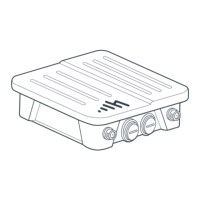
Identifies and describes the external physical components of the adapter.
Specifies requirements for Ethernet cabling, including type and length.
Explains the requirement for a SIM card and data plan for wireless connectivity.
Lists the essential tools needed to perform the basic setup of the adapter.
Details the accessories necessary for installation that are not supplied with the product.
Guides users to verify that all items included in the product packaging are present.
Provides instructions for correctly inserting the SIM card into the adapter's slot.
Instructs on connecting the Ethernet cable to the adapter's PoE port.
Details the procedure for attaching the cellular antennas to the adapter's connectors.
Explains how to power the adapter via PoE and activate it through NetCloud Manager.
Guides on placing and connecting the PoE injector for powering the adapter.
Explains the meaning of various LED indicator behaviors for status updates.
Offers guidance for resolving typical problems encountered during setup or operation.
Provides instructions on how to reset the adapter to its default factory configuration.
States Cradlepoint's disclaimers regarding product performance and warranty.
Outlines the responsibilities of the installer and Cradlepoint's disclaimers.
Details Cradlepoint's limitations of liability for product use and installation.
The Cradlepoint W1855 Series 5G Wideband Adapter is a robust outdoor device designed to provide high-speed 5G wireless broadband connectivity. It serves as a crucial component in extending network access, particularly in environments where traditional wired connections are impractical or unavailable. The adapter is intended for professional installation, ensuring optimal performance and durability in various outdoor settings. Its primary function is to receive and transmit 5G cellular signals, converting them into an Ethernet connection that can be integrated into an existing network infrastructure. This allows for reliable and fast internet access for businesses and organizations that require robust outdoor connectivity.
The W1855 Series 5G Wideband Adapter is engineered for straightforward setup and integration into a network. It supports 4FF-sized SIM cards, which are essential for establishing wireless broadband data plans. Users will need to obtain an activated SIM card from a network provider that offers data plans compatible with the W1855 Series. The device features two SIM slots, allowing for a primary and a secondary/backup SIM, which enhances reliability and ensures continuous connectivity.
Connectivity to the network is achieved via Power over Ethernet (PoE). The adapter includes a PoE injector, which simplifies power delivery and data transmission through a single Ethernet cable. This design is particularly advantageous for outdoor installations, as it reduces the number of cables required and allows for flexible placement of the adapter. The PoE injector itself is designed to be placed indoors, protecting it from environmental elements, and can be mounted to a surface if needed. Alternatively, a router or switch capable of supplying 802.3at (Type 2) 30W PoE can be used in place of the supplied injector.
The adapter is equipped with multiple N-type connectors for cellular antennas. It comes with four cellular antennas that need to be attached to these sockets. The installation process for the antennas involves removing protective covers and carefully screwing them onto the connectors, ensuring a finger-tight fit to avoid cross-threading. The device also features two 2.5 GbE Ethernet ports (PoE and non-PoE), which are protected by removable covers. These ports are crucial for connecting the adapter to the network and for local administration.
For optimal wired network performance, the W1855 Series 5G Wideband Adapter requires shielded twisted-pair (S/FTP) Ethernet network cabling and connectors (Cat5/Cat6/Cat6a/Cat7a). It is important to note that the Ethernet cable length should not exceed 100 meters (328 feet) to prevent signal degradation. The recessed position of the Ethernet ports is a design consideration, and users should be aware that protective boots or snag-free attachments on connectors might make removal difficult once inserted.
The adapter's operational status is indicated by an LED, which provides visual feedback on its power, WAN connection, modem status, and potential issues. For instance, a solid white light indicates a connection to NetCloud Manager, while flashing green signifies that the modem is connecting. Different colors and flashing patterns help users diagnose problems, such as an improper power supply (solid yellow), a modem reset in progress (flashing yellow), or an offline status (solid red). Other indicators include flashing red for data connection errors, solid blue for carrier reject, flashing blue for an open SIM door or no SIM, and flashing cyan for a factory reset.
Activation of the adapter is performed through NetCloud Manager, Cradlepoint's cloud-based management platform. Once the adapter is powered up and connected, users must log into their NetCloud Manager account to activate the device and download its configuration. This cloud-based management simplifies deployment and ongoing maintenance, allowing for remote monitoring and configuration updates.
The W1855 Series 5G Wideband Adapter is designed for durability and ease of maintenance, particularly given its outdoor installation. The device's construction includes features like a grounding lug, VESA-compliant mounting holes, and a GORE® Vent, all contributing to its robust design and protection against environmental factors.
Basic maintenance involves ensuring proper physical connections and monitoring the device's LED indicators for any signs of trouble. The SIM card slots are easily accessible by unscrewing and removing the SIM cover, allowing for straightforward insertion or replacement of SIM cards. This is a critical maintenance task for ensuring continuous wireless connectivity.
In cases where troubleshooting is required, the device offers several options. If the adapter fails to connect to the internet within five minutes, users may need to access the device's local UI to make configuration changes or initiate troubleshooting. This can be done by physically co-locating with the adapter or by utilizing the second Ethernet cable if it has been installed. The 2.5GbE 0 PoE port defaults to IPPT, while the 2.5GbE 1 port serves as the default admin port, providing dedicated access for diagnostic and configuration purposes.
For more severe issues or when instructed by Cradlepoint Support, the adapter can be reset to factory settings. This process involves removing the SIM slots cover, pressing and holding the reset button with a dull-pointed object for 10 seconds, and then replacing the SIM cover. The LED will flash cyan during the reset process, confirming that the device is returning to its default configuration. This feature is invaluable for resolving complex software-related problems or preparing the device for redeployment.
The device's design also emphasizes protection for its ports. Port dust covers are provided and should be screwed into place over any unused ports to prevent ingress of dust and moisture, thereby extending the lifespan and reliability of the adapter. The requirement for shielded Ethernet cabling further underscores the importance of maintaining signal integrity and protecting against electromagnetic interference in outdoor environments.
Overall, the Cradlepoint W1855 Series 5G Wideband Adapter is a high-performance outdoor networking solution with user-friendly setup procedures, comprehensive status indicators, and practical maintenance features, all designed to ensure reliable and efficient 5G broadband connectivity.
 General
| Category | Adapter |
|---|---|
| Model | W1855 Series |
| Power Input | 12V DC |
| Operating Temperature | -30°C to 70°C (-22°F to 158°F) |
| Dimensions | 6.5 x 6.5 x 1.5 inches |

 To Next Page
