CRADLEPOINT CBA750B | USER MANUAL Firmware version 5.0
© 2013 CRADLEPOINT, INC. PLEASE VISIT HTTP://KNOWLEDGEBASE.CRADLEPOINT.COM/ FOR MORE HELP AND RESOURCES PAGE 83
Schedule:
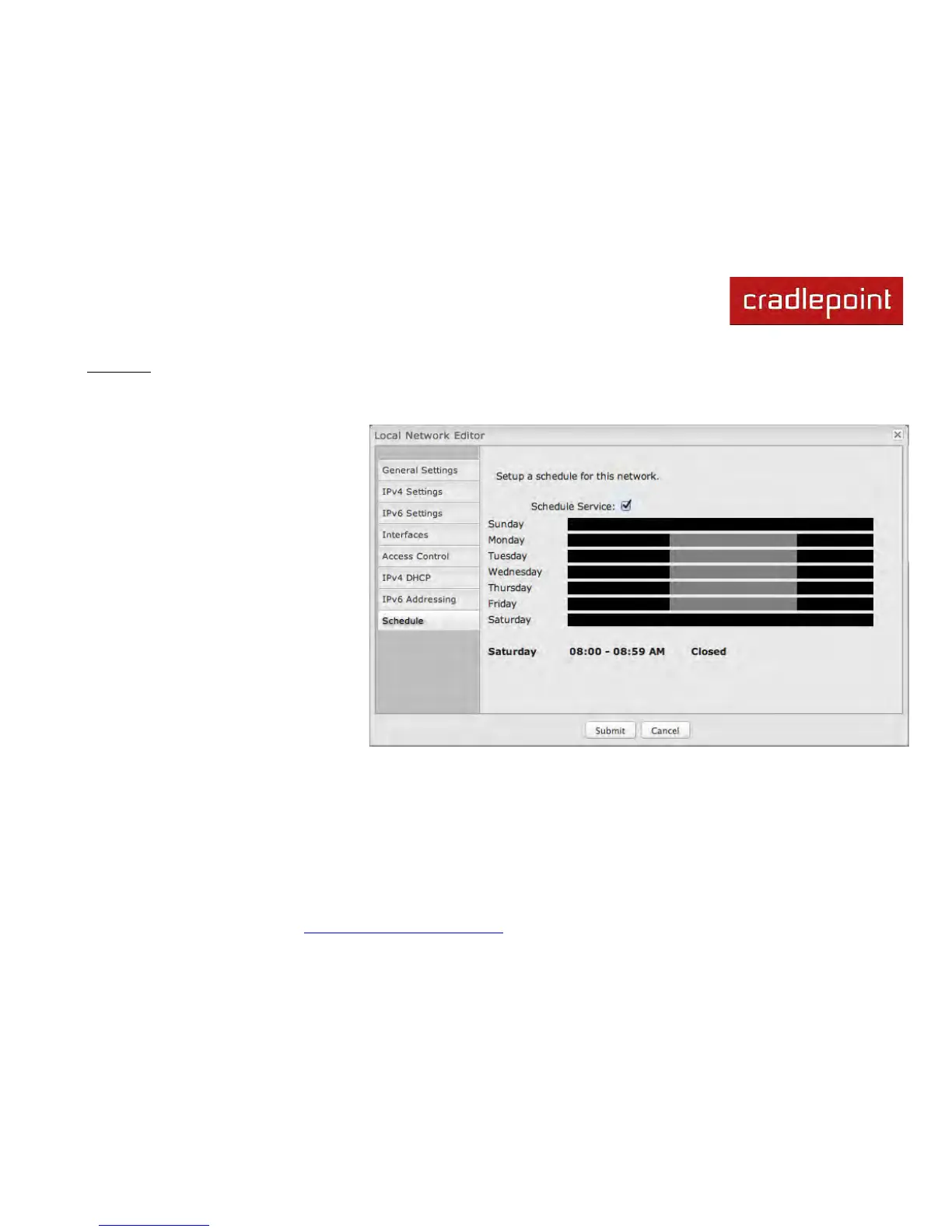
Set up a schedule for this network interface. This allows an interface to be enabled or disabled during specific hours of a
day. For example, use this to limit the network to business hours.
Schedule Service: (Default: Disabled.)
Select to enable. This will open a
configurable chart for setting the
schedule.
Each hour of the week is represented by a
black or gray square. Black represents
disabled, while gray represents enabled.
Hover over a square to reveal the hour it
represents. Click on the squares to toggle
between black and gray.
In the example shown, the network is
enabled from 8-5 on Monday through
Friday, but disabled at all other times.



 To Next Page