Cradlepoint Product Disclaimer and Limitation of Liability
Disclaimer
Installer Responsibility
Limitation of Liability
W1850-5G Branch Adapter Models
This document applies to the following models:
CRADLEPOINT W1850-5GB MODEL: S5A032A
CRADLEPOINT W1850-5GC MODEL: S5A325A
Before You Begin
Read the following before setting up the adapter.
SIM Card Setup for Wireless Connectivity
A wireless broadband data plan must be added to your adapter for wireless broadband connectivity. Network providers, such as AT&T, Verizon, and Telstra,
must provision a SIM to provide wireless broadband data plans compatible for use with the W1850-5G Wideband adapter. Contact your network provider for
further details.
Setup
The following instructions are intended for network hardware installers. Read the following before setting up the adapter or use the Verify mobile installation
app.
STEP 1: Check box contents.
The following should be included in the box:
[1] W1850 adapter with embedded 5G modem
[4] Universal multi-band antennas
[1] 12VDC / 1.5 A power adapter
[1] Ethernet cable
[1] SIM door screw
[1] Mounting hardware packet
[1] Safety, Regulatory, and Warranty Guide
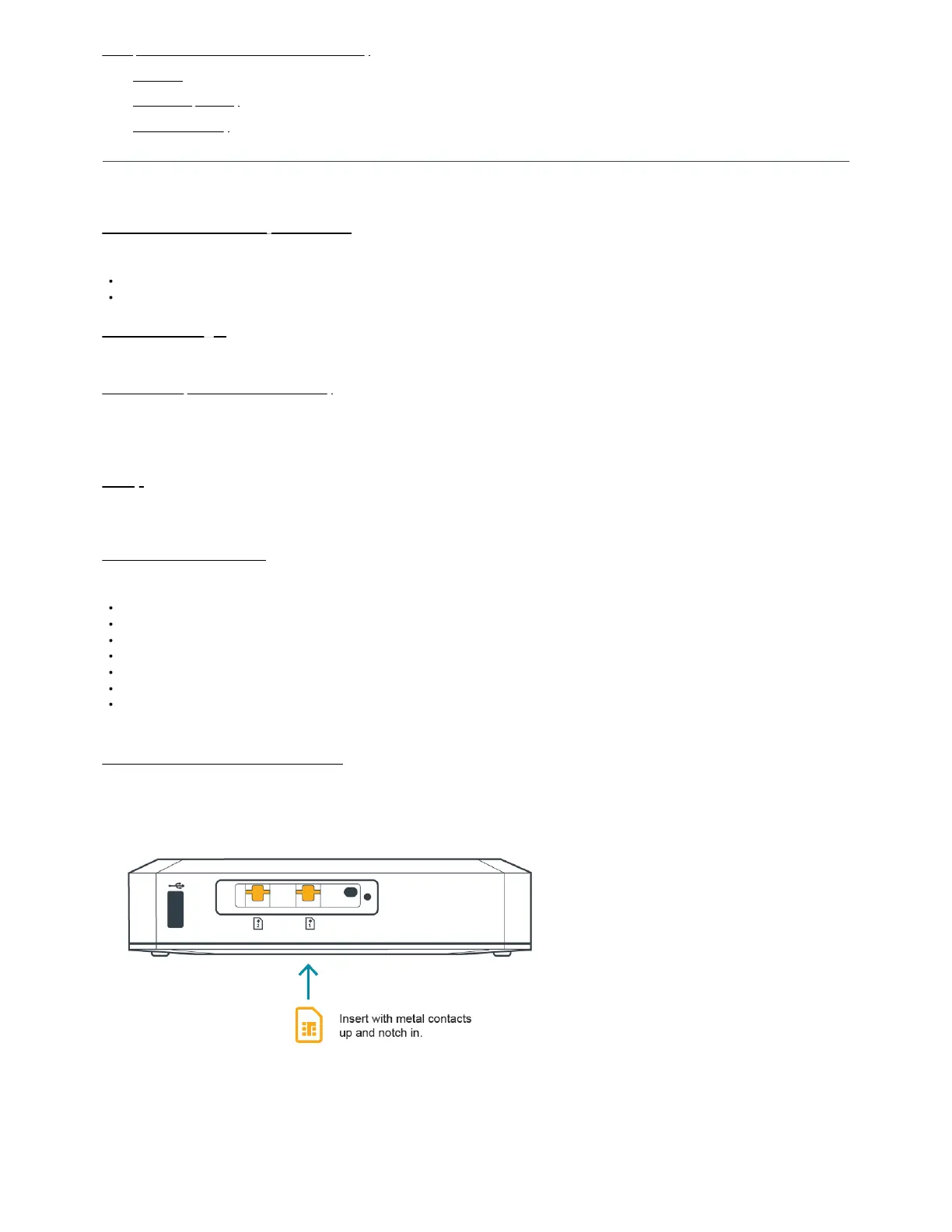
STEP 2: Insert an activated 4FF-sized SIM.
The adapter includes an embedded modem installed at the factory.
1. Remove the SIM door.
2. Insert an activated 4FF-sized SIM card into the slot marked SIM1 with metal contacts up and notch in. It clicks into place. Depress again to remove, if
necessary.
Use the SIM2 slot for a secondary/backup, as needed.
3. Replace the SIM door and secure with the door screw.
IMPORTANT: Please note that modems do not power themselves off when the SIM door is removed. If you need to swap SIM cards between the two slots,
or replace one or both SIMs on a powered device, Cradlepoint strongly recommends that you power off the W1850 before removing the SIM door. Re-
attaching a SIM door on a powered device automatically resets the modem, and you must NOT power off your device during a modem reset. Powering



 To Next Page